
Tuya is the platform behind most affordable smart home devices, including NOUS and MOES. You control all of them from a single app, Smart Life. In this guide you will learn what Tuya is, when Wi-Fi is enough and when you need a Zigbee gateway, how to pair everything step by step and which scenes are worth setting up first.
In short: what you need to know
- One appSmart Life or Tuya Smart controls NOUS, MOES and other brands at once.
- Wi-Fi or ZigbeeWi-Fi plugs, bulbs and cameras work straight away. Battery sensors need a Zigbee gateway.
- Scenes and voiceSet up automations in the app and control everything with Google, Alexa or Home Assistant.
What is Tuya and why is it on so many devices
Tuya is not a single brand but a smart device platform. Manufacturers such as NOUS or MOES build a Tuya module into their products, and you control everything in one app with one account. On the box you will often see “Powered by Tuya” or “Works with Smart Life”.
Tuya was founded in 2014 and its shares trade in New York and Hong Kong. The platform covers more than 3,000 product categories, from plugs and bulbs to sensors, thermostats, cameras, doorbells and garage door controllers. For you this means three things:
- Low price: manufacturers don't have to build their own app or cloud, so Tuya devices are much cheaper than closed systems.
- Mixing brands: a NOUS plug, a MOES thermostat and a sensor from another Tuya brand work together in one scene.
- Wide choice: there is a Tuya device for almost every problem at home.
Smart Life or Tuya Smart: which app to use
Both apps come from Tuya and are the same “all-in-one” app under two names. They look almost identical and do the same things: adding devices, rooms, sharing the home with your family, scenes and linking with Alexa and Google Assistant. We recommend Smart Life, as it is more widespread and used in most guides. What matters is to pick one and keep all your devices in it.
NOUS also has its own NOUS Smart Home app running on the same platform. If you already use it, there is no need to switch. If you are starting from scratch, Smart Life is the more universal choice.

Wi-Fi or Zigbee: the difference that matters
Tuya devices mostly communicate over Wi-Fi or Zigbee. The difference is not quality but what each one is suited for.
| Feature | Wi-Fi devices | Zigbee devices |
|---|---|---|
| Need a gateway | no, connect directly to the router | yes, a Zigbee gateway (hub) |
| Power | mains (plugs, bulbs, cameras) | also battery, lasting months to years |
| Typical devices | plugs, bulbs, cameras, IR remotes, doorbells | sensors, relays, valves, thermostats, buttons |
| Load on Wi-Fi | every device is another router client | its own network, the router only sees the gateway |
| Range | depends on Wi-Fi coverage | mesh network: mains-powered devices repeat the signal |
| Internet outage | app control stops working | local scenes on the gateway can keep running |
Rule of thumb: for a few plugs, bulbs or a camera, Wi-Fi is enough. As soon as you want door, motion, water or temperature sensors, a Zigbee gateway pays off, and then relays and plugs move to Zigbee too, strengthening the network.
Which Zigbee gateway for Tuya


Zigbee devices don't connect to Wi-Fi. The gateway brings them into the app.
NOUS E15Up to 128 Zigbee devices, 2.4 and 5 GHz Wi-Fi. For larger homes.€24.80  MOES ZHUB-WUp to 50 Zigbee devices, 2.4 GHz Wi-Fi. The cheapest start.€17.89
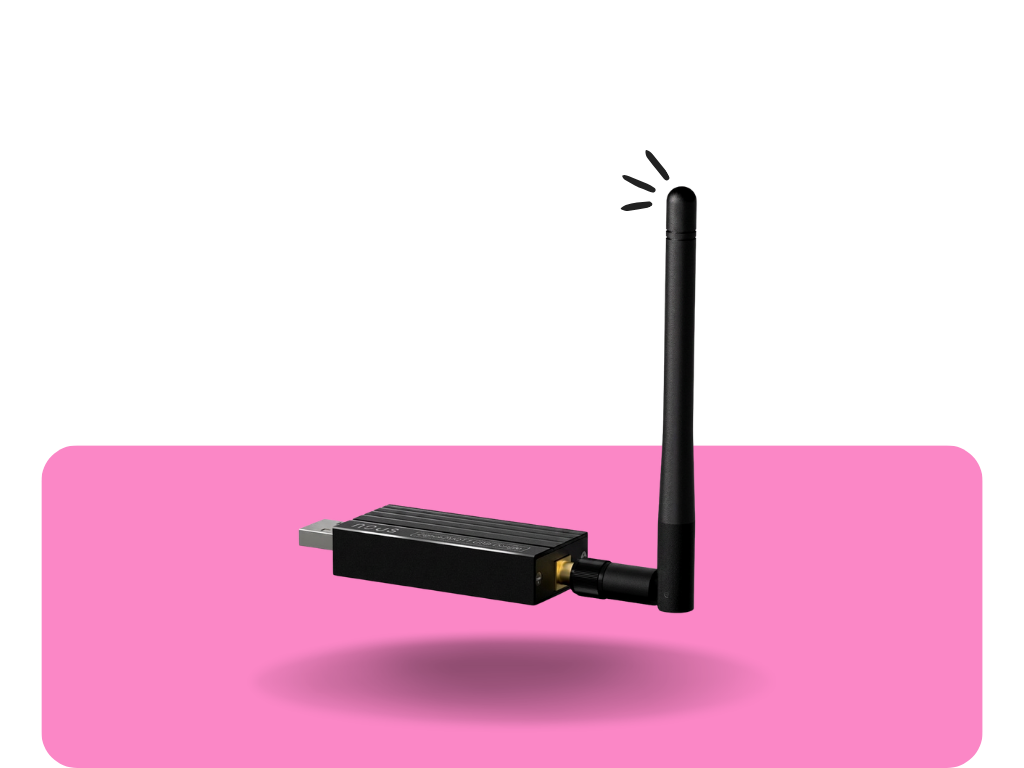 NOUS E16 USB dongleNot for Smart Life, but for Home Assistant and Zigbee2MQTT.€17.99
- Flat or smaller house: MOES ZHUB-W. A small plug-in gateway that connects over Wi-Fi and, according to the manufacturer, keeps Zigbee automations running even when the internet is down.
- Larger house, many sensors: NOUS E15 with up to 128 devices and dual-band Wi-Fi.
- You want Home Assistant: not a gateway but the NOUS E16 USB dongle. You then control devices locally, without the Tuya cloud (more below).
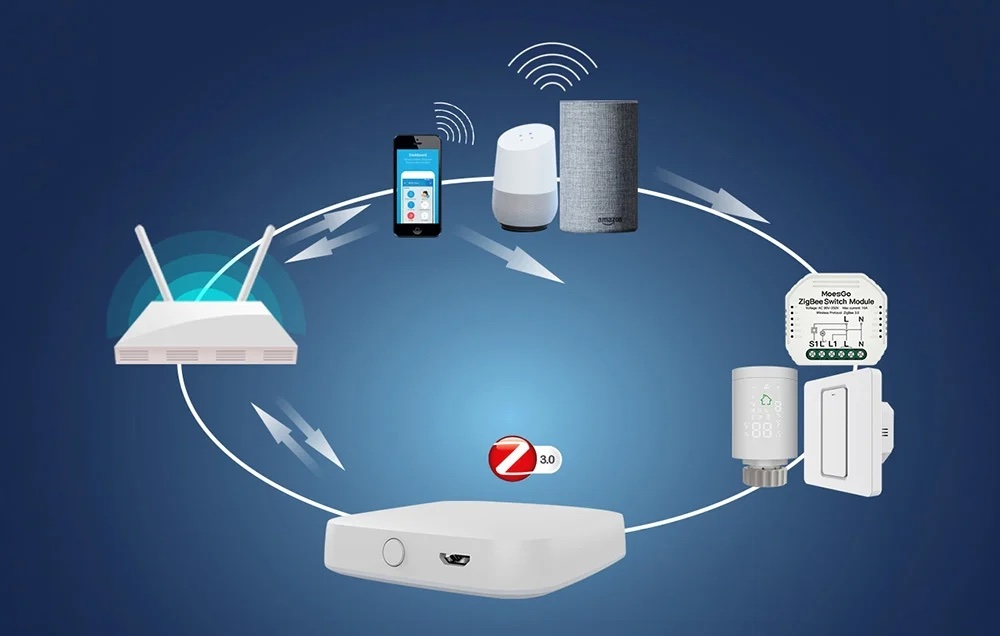
First setup step by step
- Install Smart Life from the App Store or Google Play and create an account (email or phone). Choose your country when registering; other household members must use the same one.
- Create a home and rooms (Living room, Bedroom, Bathroom…). Devices are easier to find and voice assistants understand them better.
- Prepare Wi-Fi. Most Tuya Wi-Fi devices connect to a 2.4 GHz network. If your router uses the same network name for 2.4 and 5 GHz and pairing fails, temporarily turn off 5 GHz or create a separate 2.4 GHz network. Keep your phone on the same network while pairing.
- Add a Wi-Fi device: tap + → Add Device. The app usually finds it automatically via Bluetooth. If not, pick the device type manually and put it into pairing mode (usually by holding the button until it blinks quickly).
- Add the Zigbee gateway the same way as a Wi-Fi device. The gateway must stay online while you add sensors.
- Add Zigbee devices through the gateway: open the gateway in the app → Add Device and hold the pairing button on the sensor. Pair battery devices close to the gateway and only then mount them.
- Give devices clear names (“Kitchen light”, not “Smart Switch 2”). Google and Alexa will use exactly these names.
- Update the firmware of the gateway and devices in their settings. Updates often improve stability and battery life.
Tip: Build your Zigbee network outwards from the gateway. Pair mains-powered devices (plugs, relays) that repeat the signal first, and only then the more distant battery sensors. A sensor in the garage or basement will then connect reliably.
Scenes and automations in Smart Life
The Scenes tab has two types worth telling apart:
- Tap-to-Run: one button that runs several actions at once. For example “Movie” dims the lights and turns on the air conditioner, or “Leaving” switches everything off. Run it from the app, by voice or with a wireless button.
- Automation: runs on its own when a condition is met. The trigger can be a device state (open window, water leak, motion), a time and days of the week, or a temperature change. Add actions and optionally a time window when the automation applies.
Automations between Zigbee devices on one gateway can run directly on the gateway, so they react quickly and, according to the manufacturer, keep working on the MOES ZHUB-W during an internet outage. Automations involving Wi-Fi devices or phone location need the cloud.

6 scenarios with NOUS and MOES that really pay off
Water leak = valve closed
The NOUS E13 sensor under the washing machine detects water and the NOUS L14 valve on the supply pipe shuts it off immediately.
The best investment in protecting your home, cheaper than one plumber visit.
Air conditioning by temperature
The MOES UFO-R6 IR remote turns on the air conditioner when the NOUS thermometer measures over 26 °C in the bedroom.
Works with older air conditioners and TVs too.
Lights only when you're there
The MOES mmWave ceiling sensor detects even a person sitting still, so the light stays on while you read.
A regular motion sensor would switch off.
Smoke or CO = alarm everywhere
The NOUS E17 smoke detector or E18 CO detector notifies the whole family and turns on the lights.
You get the alert even when you're away.
Garage under control
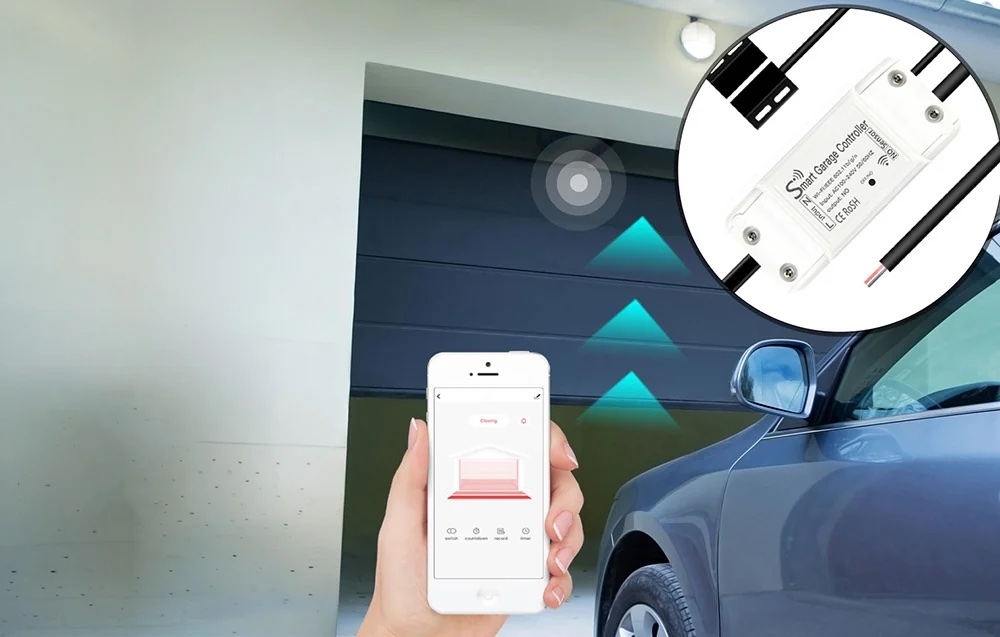
The MOES MS-102 controller shows whether the door is closed and reminds you when it has been open for more than 10 minutes.
You can also open it from your phone for a courier.
Leaving home with one tap
A Tap-to-Run scene “Leaving” switches off plugs and lights, lowers the heating and activates alerts from door sensors.
Run it with a button by the door.
Google, Alexa, Apple Home and Matter
Google Home and Amazon Alexa: in the Google Home or Alexa app, add the “Smart Life” service and sign in with your account. Devices load together with their names. On/off, dimming, colours, thermostat temperature and Tap-to-Run scenes all work.
Apple Home (Siri): classic Tuya devices can't be added to Apple Home directly. The solution is devices with Matter support, such as the NOUS A8M plug or the NOUS P3 bulb, which you can add to Apple Home, Google Home and Smart Life at the same time. Read more in our article What is Matter.
Tuya in Home Assistant: cloud or local
There are two ways to bring Tuya devices into Home Assistant:
- The official Tuya integration loads all devices and scenes from your Smart Life account. You sign in with the User Code found in the app under Me → gear icon → Account and Security, then scan a QR code. It's the fastest route, but communication always goes through the Tuya cloud.
- Locally via Zigbee2MQTT: instead of a Tuya gateway you use a USB dongle such as the NOUS E16 and pair Zigbee devices directly into Home Assistant. They work without the internet and without the cloud. Zigbee2MQTT supports thousands of devices, including most Tuya Zigbee models. For some types (marked TS0601) check whether Zigbee2MQTT already supports them.
A Zigbee device can only be paired to one network at a time: either the Tuya gateway or Zigbee2MQTT. To get started with Home Assistant, see Getting started with Home Assistant, and for choosing an adapter our USB dongle comparison.
Ready-made bundles with prices
All products in these bundles are in stock. Prices and availability load directly from the shop.

When water leaks, the supply shuts off and you get a notification.
- MOES ZHUB-W Zigbee gateway€17.89
- NOUS E13 water sensor€18.90
- NOUS L14 water valve€29.99
Doors, motion and smoke under control, alerts wherever you are.
- NOUS E15 Zigbee gateway€24.80
- 2× NOUS door sensor€23.60
- NOUS motion sensor€11.90
- NOUS E17 smoke detector€21.99

Wi-Fi and Matter only: air conditioning from your phone, plugs and colour light, also for Apple Home.
- MOES UFO-R6 IR remote€10.99
- 2× NOUS A8M plug (Matter)€21.18
- 2× NOUS P3 E27 bulb€12.78
Common mistakes and how to avoid them
- Wi-Fi pairing fails: the phone is on 5 GHz or a guest network. Connect to your 2.4 GHz home network and reset the device into pairing mode.
- Devices in two apps: a device can only have one owner. To move it to another app, remove it from the original first. Share it with your family via Home → Members instead.
- Sensors “drop out”: they are too far from the gateway. Add a mains-powered Zigbee plug or relay that acts as a repeater.
- Gateway behind the TV or in a metal cabinet: place it in the open and as close to the centre of the home as possible.
- Unclear names: voice assistants won't know which light you mean. Name devices by room and function.
Frequently asked questions
What is Tuya – is it a brand?
Tuya is a smart device platform, not a single manufacturer's brand. NOUS and MOES use it, for example, so you control all of them in one app, Smart Life or Tuya Smart.
What's the difference between Smart Life and Tuya Smart?
They are the same Tuya app under two names, with the same features. Pick one – we recommend Smart Life – and keep all your devices in it.
Do Tuya devices need a gateway?
Wi-Fi devices (plugs, bulbs, cameras, IR remotes) don't. Zigbee devices, especially battery sensors, relays and valves, need a Zigbee gateway such as the MOES ZHUB-W or NOUS E15.
Does Tuya work without the internet?
App and voice control need the internet. Automations between Zigbee devices on one gateway can run locally during an outage – the manufacturer states this for the MOES ZHUB-W. A fully local, cloud-free setup is possible with Home Assistant and Zigbee2MQTT.
Can I combine NOUS and MOES devices?
Yes. Both brands run on Tuya, so you add them to one app, one Zigbee gateway and one scene.
Do Tuya devices work with Google Home and Alexa?
Yes. In the Google Home or Alexa app, add the Smart Life service and your devices load automatically.
Can Tuya devices be added to Apple Home?
Classic Tuya devices can't. Devices with Matter support, such as the NOUS A8M plug or NOUS P3 bulb, can be added to Apple Home and Smart Life at the same time.
Does Tuya work with Home Assistant?
Yes. The official Tuya integration loads devices from your account via the cloud. For local, cloud-free control of Zigbee devices use Zigbee2MQTT with a USB dongle such as the NOUS E16.
Why won't my Wi-Fi device pair?
Most often because the phone or router is on a 5 GHz network. Most Tuya Wi-Fi devices need 2.4 GHz. Connect your phone to 2.4 GHz, reset the device and try again.
How many devices can one Zigbee gateway handle?
The MOES ZHUB-W up to 50 and the NOUS E15 up to 128 Zigbee devices. Even the smaller gateway is plenty for a typical flat.
Not sure where to start?
Tell us what you want to control at home and we'll put together a bundle from products we have in stock. info@homesystem.sk, +421 948 213 492
Browse Tuya devices