Imagine a home that thinks for you – it turns off the lights when you leave, shuts off the water when something's leaking, and reminds you to check the windows. That's the whole point of a smart home. You don't need to renovate your entire apartment at once – just gradually add the devices that make your everyday life easier, whether that's security, comfort, or lower energy bills. Below you'll find all the main device categories, an explanation of what they're for, and a few concrete product recommendations for each.
Control Unit (Hub)
Before you buy any smart device, it's worth thinking about what will tie the whole system together. The control unit is what holds the entire system in one piece – it receives information from sensors, evaluates it, and sends commands to other devices. Thanks to it, a motion sensor in the hallway can turn on the light by itself, or a window sensor can turn off the heating when you forget to close a window. Without a hub, only simpler standalone Wi-Fi or Bluetooth devices work, while the vast majority of Zigbee and almost all Z-Wave devices can't function without one.
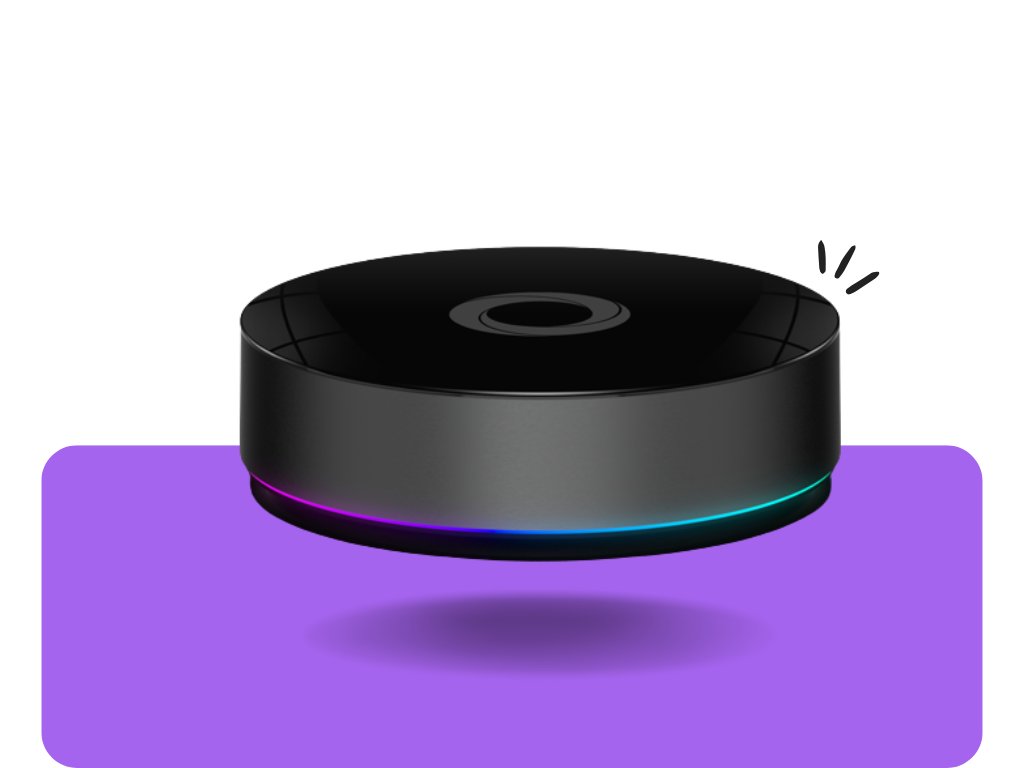
Homey PRO (2026) solves this problem most universally – it handles Z-Wave, Zigbee, Wi-Fi, and
Matter all at once, so you're not locked into a single brand. You build automations in a visual editor without writing a single line of code. It runs mostly locally on the device itself, so most automations keep working even without an internet connection, and thanks to an active user community you'll easily find ready-made guides for almost any device.

Yubii Home Pro is the successor to the well-established FIBARO Home Center 3, now under the Nice brand. It's a powerful hub that can control hundreds of devices at once and works with thousands of products from other manufacturers. Under the hood it has a quad-core processor, so it easily handles large households with dozens of scenes and schedules, and thanks to local processing it stays reliable even during an internet outage.

Sonoff Zigbee Bridge PRO is a more modest option compared to the previous two – it's not a full multi-protocol hub, just a simple, inexpensive Zigbee gateway. If you're mainly planning on Sonoff devices and don't want to buy a pricier hub yet, it's a practical, low-effort start. Setup takes just a few minutes via the eWeLink app, and you can connect dozens of Zigbee sensors and switches to a single bridge.
1. Smart Plugs
If you don't know where to start with smart home, a plug is the safest choice. There's nothing to drill or install – simply plug it into a regular wall socket, and the appliance you connect to it instantly becomes "smart." You can turn it on and off from your phone, set a schedule (for example, so Christmas lights turn on automatically at six in the evening), or track how much energy it actually consumes.

Shelly Plug S Gen3 runs purely over Wi-Fi with no hub required, supports Matter, and directly measures the power consumption of the connected appliance. Thanks to its compact size it won't block the neighboring socket, and it handles more demanding appliances up to a 2400 W load. Setup takes just a few minutes right in the Shelly Smart Control app, with no extra hardware needed.

Aqara Power Plug H2 EU RGB also measures power consumption and adds a colored LED ring that shows at a glance whether the plug is currently on. It supports both Zigbee and
Thread, so you can connect it either to a Zigbee network or directly to Apple Home via Matter over Thread with no extra steps. Over Zigbee it requires a Zigbee gateway (e.g. Aqara Hub or Sonoff Zigbee Bridge Pro); over Matter over Thread, a regular Thread border router (e.g. Apple TV, HomePod mini) is enough.

Sonoff S60 Wi-Fi Plug is the simplest, cheapest option to try out – just an app, no hub, plus surge protection. It's also handy as protection for sensitive electronics against a sudden voltage spike, not just for remote control. Thanks to direct Wi-Fi connection you can get it running with no other devices in your home at all.
2. Door and Window Sensors
This type of sensor consists of two small magnetic pieces that you stick onto the frame and onto the door or window leaf. The system then always knows exactly whether it's open or closed. You can use this in various ways – as part of security (it alerts you if someone opens a door while you're away), or simply to remind you about a window left open before you leave the house and the heating runs for nothing.

FIBARO Door and Window Sensor 2 is compact and you can even connect an external temperature sensor to it, so you get two pieces of information from a single spot. Its battery typically lasts several years, and it's available in multiple colors to match your interior. It's a Z-Wave device, so it needs a control unit (hub) to function.

Aeotec Door and Window Sensor 8 relies on a more robust build and a reliable signal even where the hub is further from the sensor. Thanks to Z-Wave Long Range support it easily reaches through multiple walls or into a more distant garage. Thanks to its 3-axis sensor it recognizes not just open/closed but also a tilted position (ideal for tilt-and-turn windows), and it also measures temperature and humidity – so it can warn you of mold risk or automatically turn off the heating while airing out a room. This sensor also requires a control unit (Z-Wave) – without one you can't pair it.
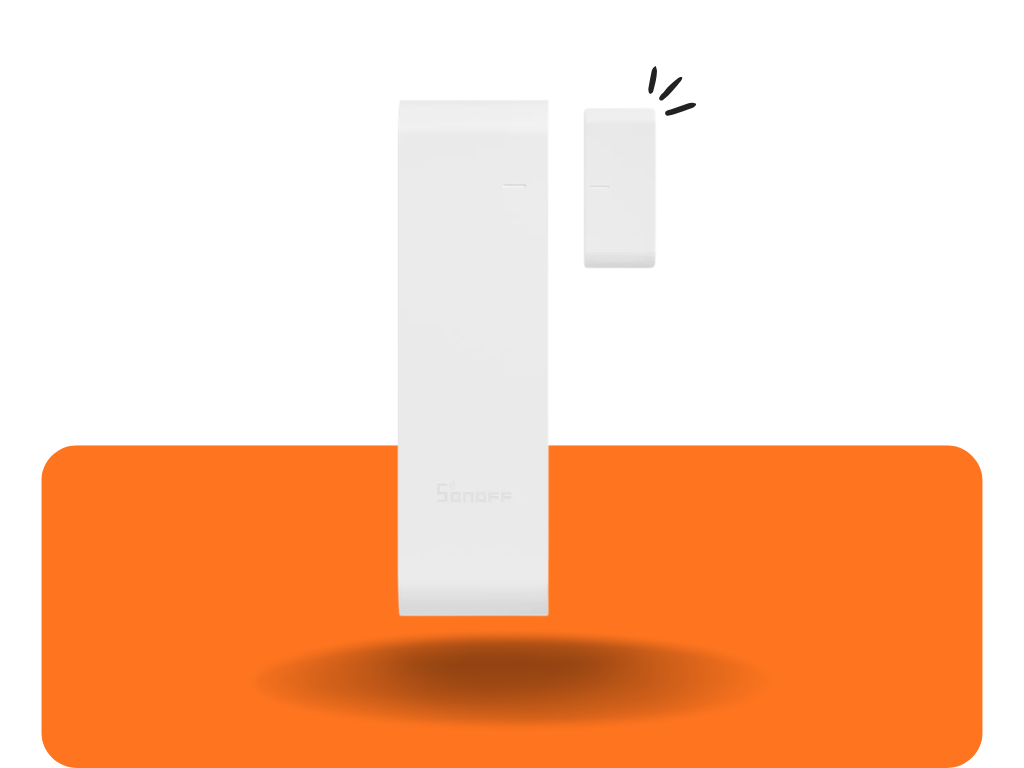
Sonoff SenseGuard DW Gen2 is the most affordable of the three, which is handy especially when you need to fit out several doors and windows at once and don't want to spend a lot of money. Despite the low price it offers a fast response and easy pairing right through the eWeLink app. Since it's a Zigbee device, you also need a Zigbee gateway to connect it to the network, for example the Sonoff Zigbee Bridge Pro.
3. Motion and Presence Sensors
There's a difference between these two worth explaining. A classic motion sensor (PIR) reacts only to physical movement – if you're sitting at a desk and not moving, after a while it simply "stops seeing" you and the light turns off. A more modern presence sensor uses radar technology that can detect even a seated, completely still person, so the light stays on as long as you're in the room.

Sonoff SNZB-03PR2 combines classic motion detection with ambient light measurement – so the light only turns on when the room is genuinely dark, not automatically at every movement. It's a good fit for a hallway or staircase, where you want to save both battery and lighting energy at once. It requires a Zigbee gateway (e.g. Sonoff Zigbee Bridge Pro) and won't work standalone without one.

Sonoff Zigbee 24GHz Presence Sensor solves exactly that weakness of classic sensors – thanks to radar it reliably detects even a motionless person working at a computer. You can fine-tune the range and sensitivity right in the app, so you can adapt it to smaller rooms where it would otherwise trigger on movement behind a door. Like the previous model, this one also requires a Zigbee gateway.

FIBARO Motion Sensor adds temperature and ambient light measurement to motion detection, plus it has an adjustable colored LED that can be matched to your interior. Thanks to combining three sensors in one, you can use it at once for lighting, temperature monitoring, and as part of a security system. It's a Z-Wave device, so it requires a control unit.
4. Water Leak Sensor
This is one of the cheapest insurance policies you can get for your home. You place a small sensor on the floor near a washing machine, dishwasher, or boiler, and as soon as it comes into contact with water, it instantly sends a notification to your phone. Combined with a motorized valve on the water supply, the system can even shut off the water automatically – so it can protect you from flooding even while you're on vacation.

Aeotec Water Leak Sensor 8 is one of the reliable classics with a long battery life. Thanks to a Z-Wave Long Range connection you can rely on it in a basement or a spot further from the hub, where normal range wouldn't be enough. Besides water it also measures temperature and humidity, and can warn you in advance about mold risk. It requires a control unit (Z-Wave) – which can also trigger an automatic water shut-off if you also have a motorized valve at home.

SONOFF SNZB-05P is available in a version with a probe or without one, depending on whether you want to detect water right under the sensor or a bit further away via a connected probe; it detects water from as little as half a millimeter, and the battery lasts up to five years. Its waterproof, IP67-rated body handles direct contact with water without damage. As a Zigbee device it needs a Zigbee gateway, for example the Sonoff Zigbee Bridge Pro.

Aqara Water Leak Sensor T1 is built around a compact, fully waterproof, IP67-rated body at a friendly price. Thanks to its small size it fits easily into tight spots under a sink or behind a washing machine, and a single CR2032 battery typically lasts 2 years. It also supports Matter over Zigbee, so you can add it to a Matter ecosystem too. Combined with an Aqara Smart Plug and a water valve, a scene can automatically shut off the water supply once a leak is detected. It requires a Zigbee gateway, e.g. an Aqara Hub.
5. Lighting Control (Switches and Dimmers)
These small modules hide where no one sees them – right inside the wall box behind the original switch, or right next to an LED strip. Nothing changes on the outside of the wall, yet suddenly you can control the light from your phone, by voice, or program a scene like "movie night."

Shelly Dimmer Gen4 offers smooth dimming and power measurement, working completely standalone via the Shelly app without a universal hub. It supports most common dimmable LED bulbs, and thanks to its low minimum load it doesn't flicker even with weaker fixtures. Thanks to Matter support you can also easily add it to Apple Home, Google Home, or SmartThings.

Gledopto Zigbee 5-in-1 Ultra Mini LED Controller is designed directly for LED strips – it handles RGB, RGBW, and adjustable white color temperature in a single compact module. It also has an input for an external physical button, so you keep classic wall control alongside the app. It requires a Zigbee gateway, since it can't communicate with the app on its own.

Sonoff ZBMINI EXTREME L2 is especially appreciated by owners of older apartments – it also works where the wall box has no neutral wire. It's extremely small, so it fits even into a crowded wall box alongside the original wiring. It needs a Zigbee gateway to be controlled.
6. Blind and Shutter Control
This module simply connects to the existing electric motor of your blinds or shutters, letting you control them from your phone, by voice, or fully automatically. A typical example is automatically lowering the blinds when the sun shines strongly on a window – in summer this significantly reduces indoor overheating without needing to run the air conditioning.
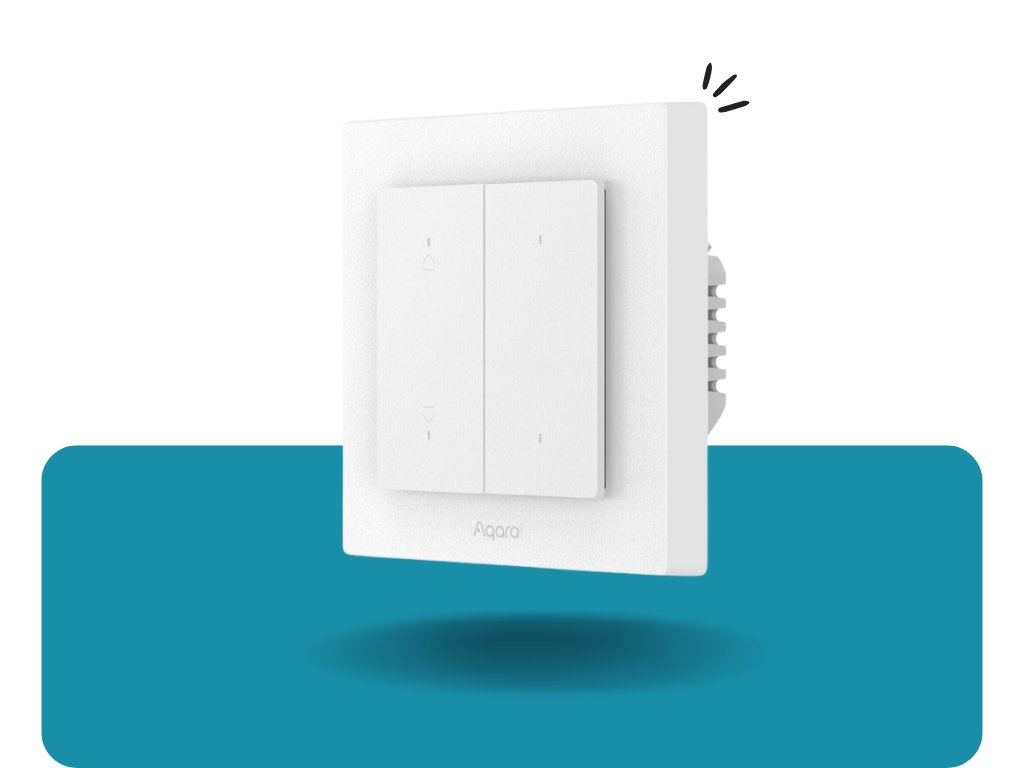
Aqara Roller Shutter Switch H2 EU allows precise positioning of blinds by percentage and also offers two additional configurable buttons for triggering other scenes. It supports both the Thread and Zigbee protocols, so it can connect either directly to a Matter ecosystem or to a classic Aqara Zigbee network. Over Zigbee it needs a Zigbee gateway (e.g. Aqara Hub); over Matter over Thread, a regular Thread border router is enough without an Aqara hub.
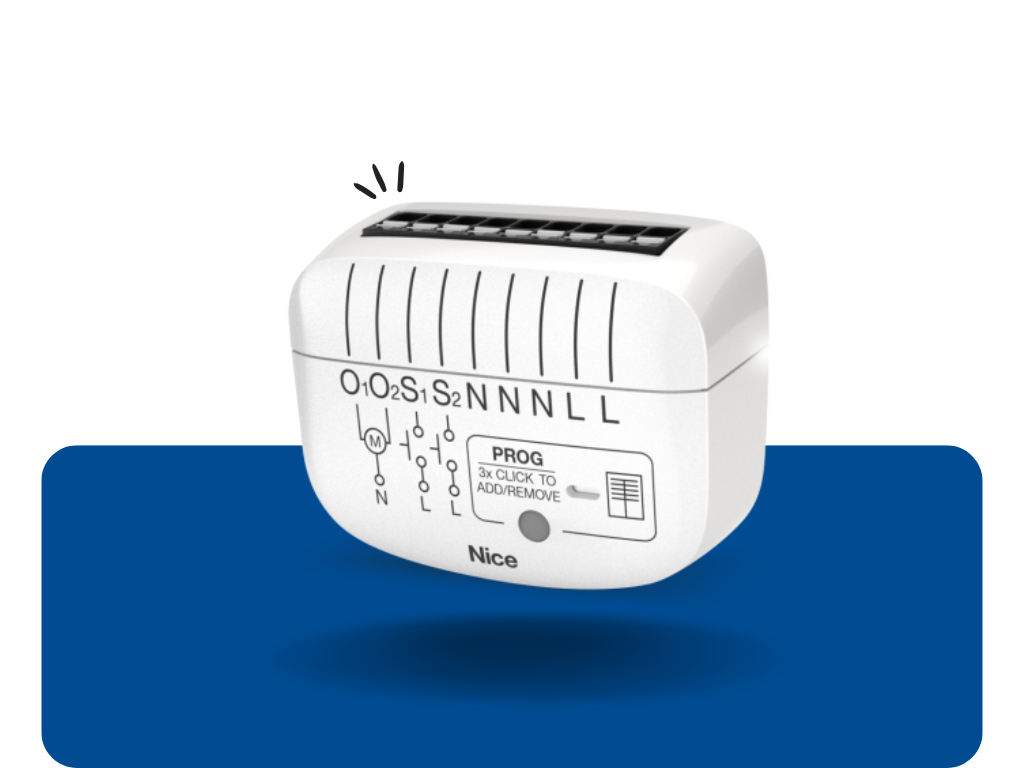
Nice Roll-Control2 was originally sold as the FIBARO Roller Shutter 4, now under the new Nice brand. Besides simply raising/lowering the blind, it lets you set precise slat tilting – you save a favorite position and trigger it with a double press of the switch. It also handles roller shutters, awnings, pergolas, or garage doors, and additionally measures the connected motor's power consumption. The module installs invisibly behind the original switch. It's a Z-Wave module, so it requires a control unit (e.g. Yubii Home Pro, Homey PRO) – without one it can't be added to the system.

Shelly 2PM Gen3 is a more versatile solution – the same relay can control either a blind motor or two independent circuits, and it also measures power consumption. Thanks to this flexibility you can buy it in advance without having to decide exactly what you'll end up using it for. It doesn't need a universal hub – it works directly over Wi-Fi and the Shelly app.
7. Heating – Smart Thermostats
Heating usually makes up the largest share of your energy bills, which is exactly why an investment in a smart thermostat pays for itself the fastest among all smart home devices. It lets you set a different temperature in different rooms, schedule a lower temperature at night, and automatically lower it when you're not home.

HEATIT Z-TRM6 is a universal thermostat that can control both regular heating and a boiler. It supports connecting external temperature probes, so you can fine-tune measurement accuracy in rooms where the built-in sensor wouldn't be representative enough. It requires a control unit (Z-Wave), without which it can't be programmed or controlled remotely.

Aqara W500 EU is designed specifically for underfloor heating, with an elegant touchscreen and built-in overheating and freeze protection. It lets you schedule up to seven time slots a day, so it can precisely adapt to your daily routine. In Zigbee mode it requires an Aqara Hub; in Matter over Thread mode it works even without one, a regular Thread router is enough.

LinkedGo Smart Thermostat powered by Shelly is another specialized option for underfloor heating, this time built on the proven Shelly chip. It directly controls heating valves, has a built-in humidity sensor and frost protection (keeps a minimum temperature and protects pipes when you're away for longer), and thanks to a dry contact you can also use it to switch a gas boiler or pellet stove. It connects over both Wi-Fi and Bluetooth at once (Bluetooth serves as a backup during a Wi-Fi outage), so you can easily combine it with other Shelly devices in a single Shelly Smart Control app. It doesn't require a universal hub – it works directly over Wi-Fi/Bluetooth.
8. Entry Security (Locks and Sirens)
A smart lock can completely replace traditional keys – you unlock via your phone, fingerprint, or the door unlocks automatically as you approach home. It's also great for short-term Airbnb rentals or for a cleaner, for whom you simply create a temporary access code instead of a key. An outdoor siren, meanwhile, triggers a loud sound and light during an alarm, which reliably deters most intruders.

Tedee PRO stands out with its
Auto-Lock feature – the lock knows (via Bluetooth on your phone) that you've moved away from the door, and locks itself after a few seconds, so you never have to double-check whether you forgot to lock up. It also works the other way around (Auto-Unlock) – when you get home, the door unlocks itself as you approach. It mounts simply onto your existing cylinder and stands out with a quiet, fast motor – something households that don't want to wake other family members with nighttime unlocking will appreciate too. It doesn't require a universal hub – it works over Bluetooth and its own app; for remote control away from home (or integration with Apple Home, Google Assistant, Alexa) you can buy a separate Tedee Bridge.

Aqara Smart Lock U200 offers several ways to unlock at once – fingerprint, NFC card, code, and a classic key. This means every member of the household can choose the unlocking method that suits them best. This lock, too, doesn't require a universal hub and works over Bluetooth; with an optional Aqara Hub you also get remote control and notifications.

Philio Outdoor Siren is weatherproof and triggers a loud alarm and light during an alert, ideal for a house facade. Its visible placement alone also acts as a deterrent even before any break-in attempt occurs. It's a Z-Wave device, so it needs a control unit to trigger an alarm.
9. Property Protection (Cameras)
A camera gives you the assurance of knowing what's happening at your home even when you're on the other side of town or the world. Just open the app on your phone to check whether a delivery arrived, or whether everything's fine with the dog in the yard.

SONOFF CAM-B1P is an outdoor Wi-Fi camera with sharp 2K resolution and a wide-angle lens that rotates horizontally up to 180°, so it covers a larger area from a single spot. It offers several night-vision modes (color and infrared) and AI detection that distinguishes a real person from ordinary movement (an animal, branches in the wind). It also has two-way audio and a rugged IP65 housing (rain, frost down to -20 °C). You can save recordings to a microSD card or optionally to the cloud, and notifications land directly in the eWeLink app. It doesn't require any hub, just a connection to your home Wi-Fi.

Nous W8 PTZ Camera can pan and tilt its lens, so it covers a much larger area from one spot. This means it can replace two static cameras and save you on both the number of devices needed and holes drilled into your facade. It has two-way audio, night vision (IR + white LED) up to 15 m, and automatic motion tracking with app notifications. You can save recordings to a microSD card or to the cloud. It works standalone over Wi-Fi with no hub needed.

Aqara Camera Hub G5 PRO is a more premium option with built-in storage right in the camera, recognition of people, animals, and vehicles, and it also works as a Zigbee gateway for other Aqara devices. This means your recordings are stored locally with no need to pay for a cloud subscription.
10. Remote Controls
Sometimes it's simply faster to press a physical button than to look for your phone – for example, when you want to turn off the light at night from bed. It's also the only way to bring children or older family members who don't normally use a smartphone into the system.

Aeotec WallMote Quad offers four independently programmable buttons in an elegant case that you can stick anywhere on the wall. It can also be used off the wall, right in your hand, like a classic remote on a nightstand. It's a Z-Wave controller, so it requires a control unit.
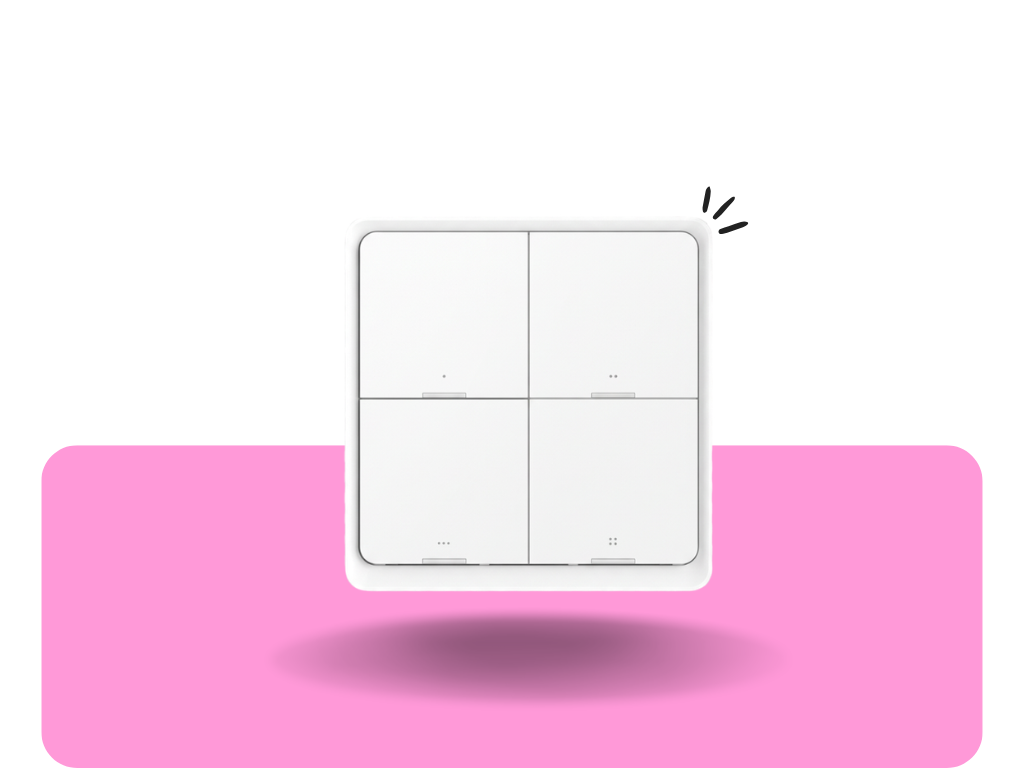
Nous C1 is the most affordable option for simply triggering favorite scenes with a single press. Thanks to its low price it's also ideal for fitting out multiple units throughout your home without a big investment. It has 4 buttons, each of which distinguishes short, double, and long presses – together letting you program up to 12 different scenes (for example, turning off all lights, starting movie mode, or activating security on departure). It runs on battery with no wiring and is compatible with the NOUS, Tuya, and Smart Life apps. It requires a Zigbee gateway, without which it can't be paired with the system.

Sonoff ORB 4-in-1 is a small but clever button with 4 independent buttons, each distinguishing a single press, double press, triple press, and long hold – together offering up to 16 different trigger scenes from one device. Its elegant round design lets you use it as a portable remote held freely in hand, or mount it on a wall, table, or nightstand using a magnetic, adhesive, or screw-in holder. The button needs a gateway to function – either a Zigbee gateway, or it can work in eWeLink-Remote mode directly with supported SONOFF devices without a universal hub.
Where to Start?
If you're building a smart home from scratch, we recommend starting with a control unit and one or two sensors or plugs – so you can gradually expand the system exactly as needed. If you already have a system, any of these devices will meaningfully complement it.
Need help choosing for your specific system (Z-Wave, Zigbee, Wi-Fi)? Write to us – we're happy to help you put together a tailored solution.
Frequently Asked Questions
Do I need to buy a control unit (hub) right away? +
Not necessarily. If you're starting with Wi-Fi devices (e.g. the Sonoff S60 Wi-Fi plug, Shelly Plug S Gen3), you don't need a hub – the manufacturer's app is enough. A hub becomes worthwhile once you want to connect devices from different manufacturers into a single system and build more complex automations.
What's the difference between Z-Wave, Zigbee, and Wi-Fi devices? +
Wi-Fi devices connect directly to your router and don't need a hub, but they put more load on your home network. Zigbee and Z-Wave run on their own low-power network, need a gateway/hub, have a longer battery life, and devices can relay signals between each other (a mesh network), which extends the range.
Does smart home still work during an internet outage? +
It depends on the hub. Devices with local processing (e.g. Homey PRO, Home Assistant) keep working without internet – but controlling them remotely from outside your home network does require a connection. Purely cloud-based systems don't work at all without internet.
Is smart home safe from being hacked? +
Yes, if you follow basic rules – use strong passwords, enable two-factor authentication wherever available, and keep devices updated regularly. Cheap no-name products without update support are riskier, so it's worth sticking to established brands.
Can I install all of this myself, or do I need an electrician? +
Plugs, sensors, and remote controls can be installed by pretty much anyone in a few minutes. For devices wired directly into the electrical installation (switches, dimmers, thermostats), we recommend calling in an electrician – especially if you don't have experience working with 230V.
Does smart home pay off financially? +
For some categories, yes, fairly quickly – smart thermostats and plugs with power measurement in particular can lower your energy bills. For others (security, comfort), it's more an investment in convenience and peace of mind than a direct financial return.
Do all my devices need to be from one brand? +
No. Thanks to standards like Zigbee, Z-Wave, and especially Matter, you can now easily combine devices from different manufacturers into a single system – which is exactly why we mixed FIBARO, Shelly, Aqara, and Sonoff in this list.
Where should I start in my apartment on a limited budget? +
The best value-for-money devices are usually a door/window sensor, a smart plug, and a water leak sensor – they're cheap, easy to install, and solve real everyday problems (safety, energy, damage protection).