How to install the Homey PRO 2026 smart home controller?
The Homey PRO 2026 controller operates as a fully wireless system, so even if you are looking for a solution for an already built home, it can be integrated without any problems. It simply connects to your home network via Wi-Fi. Other smart components communicating via Z-Wave, Zigbee, Matter, Wi-Fi, or 433MHz are then installed according to the clear instructions that the controller itself usually displays directly. Installing flush-mounted devices requires standard 6cm deep wall boxes behind the switches, while many sensors are battery-powered. Thanks to this simple wiring, the Homey system is a suitable solution for new builds as well as already inhabited properties, as the installation does not require any special cabling.
How demanding is the installation of components?
The difficulty of installing components depends heavily on what exactly you want to add to the system. For example, installing sensors and smart plugs is very simple and can be done by yourself in a few minutes. However, if you want to connect a built-in dimmer to control lighting, thermostats to control heating, or relays to control irrigation to the Homey PRO 2026, it is better to leave this installation to a professional. If you are interested, you can contact us at any time.
How are new devices added to the Homey PRO 2026?
The latest Homey PRO 2026 controller brings a huge number of innovations and pushes the boundaries of the smart home even further. When it comes to adding devices, just like previous generations, they can be easily paired using the mobile app. If you prefer a large screen, the developers have also worked on the PC interface, creating a huge lead over the competition. When adding a device via a computer, the system recognizes the device and immediately searches its database for a suitable app to support it. All you have to do is click to confirm the addition.
Moreover, the Homey PRO 2026 controller brought a very clever feature: immediately after adding a new element, you see a preview of what you can do with it in terms of automation. This smart step literally prompts you on how to fully utilize automation for your Smart Home.
 What can the Homey PRO 2026 controller do via the mobile app?
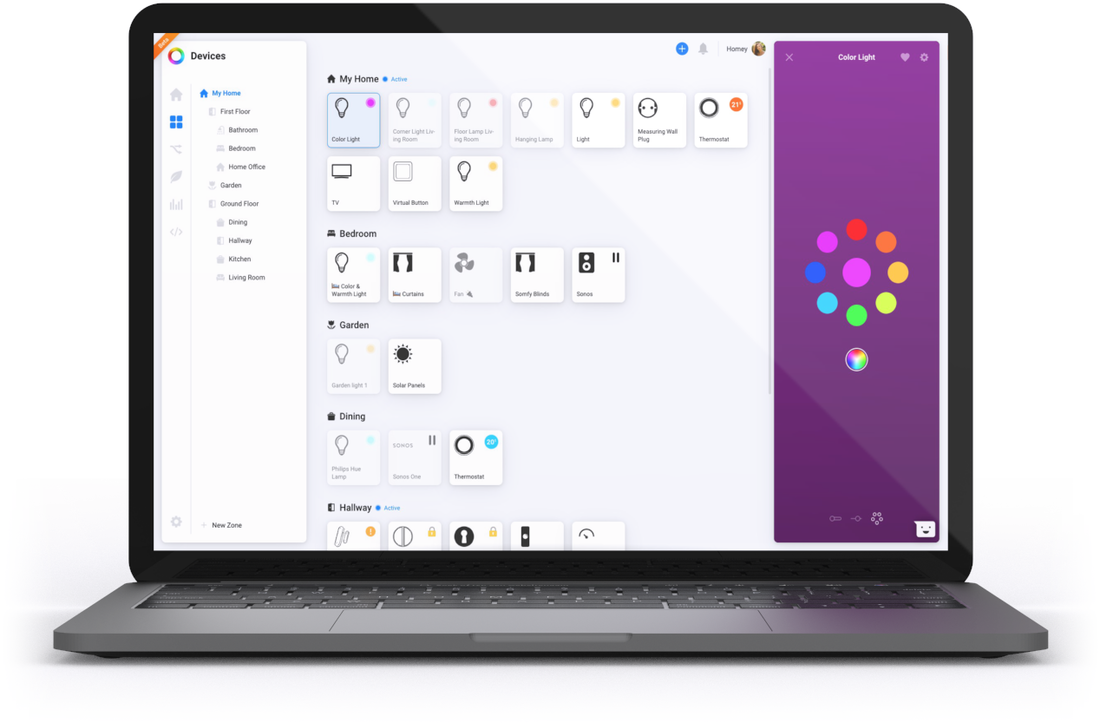
The mobile app for Homey PRO 2026 is truly comprehensive and allows you to manage the entire ecosystem. From manual control of devices, through creating heating schedules and viewing event history, to creating "Flows" and complete automation setup. Thanks to this, you truly have your entire household under control. Almost everything can be managed in the mobile app, with the exception of advanced automations (Advanced Flow), which are primarily set up in a web browser on a computer for maximum clarity.
How is the system displayed on a mobile or tablet?
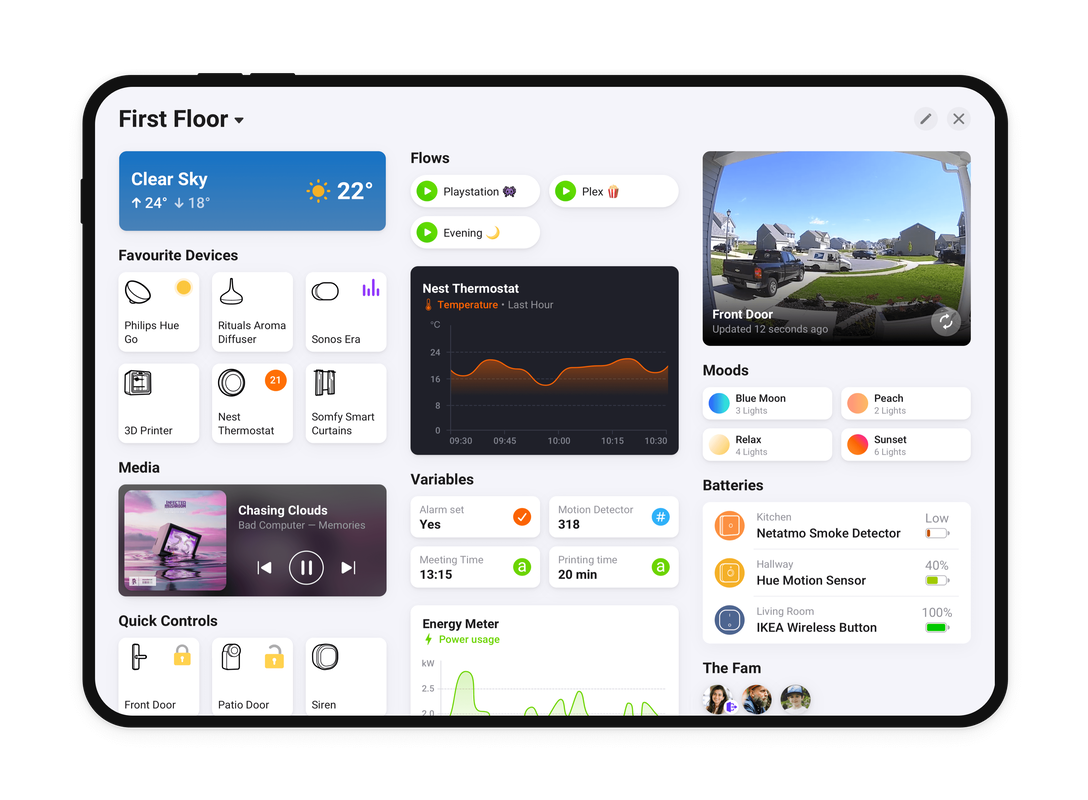
An example of how the manufacturer of the Homey PRO controller listens to its users are the so-called "Dashboards". This is a highly customizable system display on a tablet or phone, where you can not only choose which devices are shown to you, but you can also add Widgets, just as we know them from smartphone operating systems. You can then lock the Dashboard and have it always set as the default when the app launches. This solution is tailor-made for wall-mounted tablets or households where you want to give other family members access only to certain features. The second option, of course, remains the classic view of the Homey app, which is itself very fast and intuitive.
 What can be added to the Homey PRO 2026 controller?
This system is known precisely for supporting practically everything that can be supported on the market. The Homey PRO 2026 controller has built-in antennas for Z-Wave, Zigbee, Wi-Fi, Bluetooth, 433MHz, 868MHz protocols, and of course, for the modern Matter and Thread standard. The developers at Athom give a free hand to the community, which can create support for specific devices (so-called apps). If you want to find out if your desired product is supported, simply visit the official app list. Premium brands such as Fibaro, Aeotec, HeatIT, MCO Home, Ikea, Somfy RTS, and Philips HUE are supported as standard. However, the real specialty lies in devices you might not even think of in connection with a Smart Home – smart washing machines, refrigerators, Volvo or Tesla electric cars, robotic vacuum cleaners, and much more.
How can the system be controlled?
A Smart Home built on the Homey PRO 2026 controller offers several control methods:
- Quite normally, using classic switches on the walls
- Using the mobile app (phone and tablet)
- Using the web app on a computer
- Using automatic flows that control the house completely independently
- Using Z-Wave remote controls and key fobs
- With voice assistants Amazon Alexa and Google Home
- Through the integration of cloud services via IFTTT
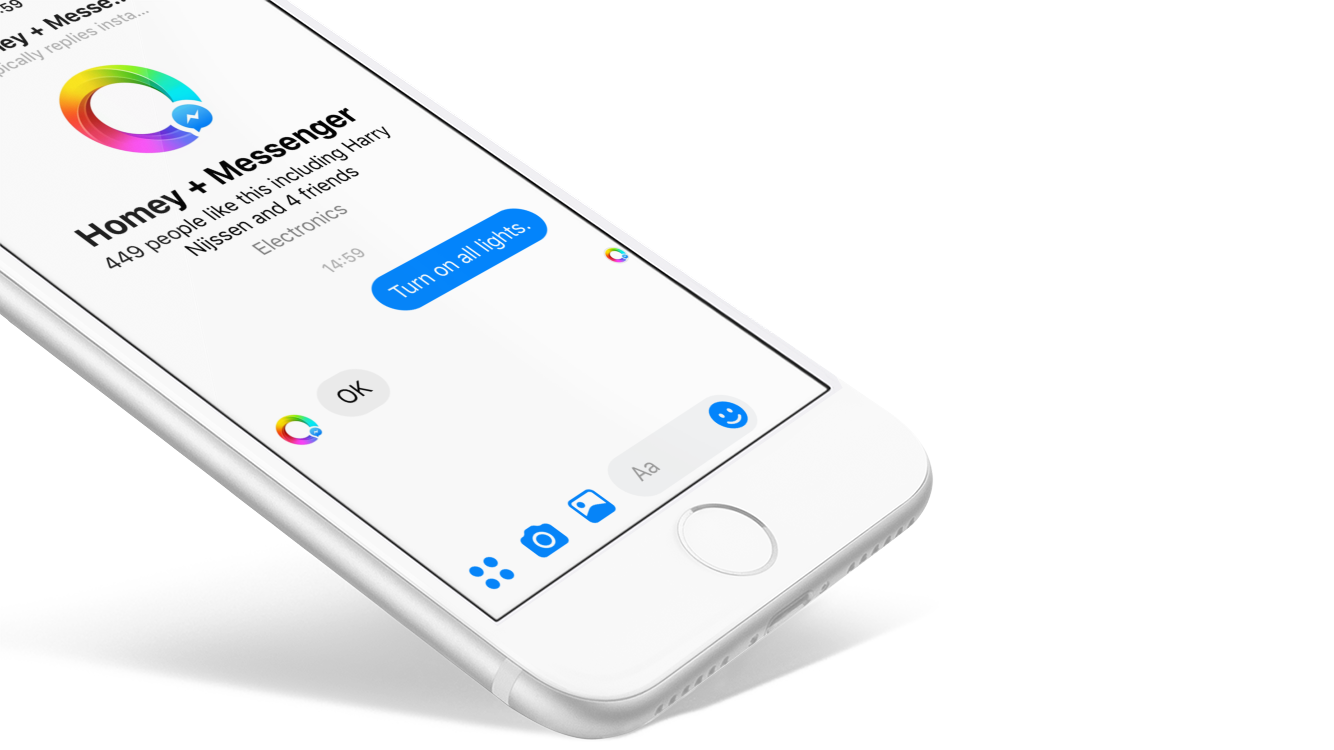
- Using text communication via Facebook Messenger
 Where does Homey PRO 2026 absolutely dominate?
This system is super easy for initial setup – it truly has no competition in its class and you will have it up and running in just a few minutes. Its strongest weapon is the massive support for third-party devices and highly intuitive automation. At first glance, it looks like standard block building, but under the hood, it actually hides extraordinary power (support for local variables, advanced logic, value comparison, or sending HTTP and Modbus commands).
The main advantage and "gamechanger", however, lies in the automation solution thanks to Advanced flow. The developers have created a powerful visual engine that even an ordinary user can use with ease. You have a virtual "canvas" at your disposal, where you can create complex logic conditions, connect different systems, work with HTTP APIs, Modbus, or dive into scripting. Moreover, you can test everything visually directly in the web interface.
When is it better to look for another system?
The Homey platform is moving forward at a tremendous pace and constantly innovating. A significant step forward was also the strategic acquisition of Athom (the manufacturer of Homey) by the tech giant LG in 2024. Athom continues to operate primarily as a software company, and under the umbrella of LG, they have the ideal background for their system to continue growing massively and integrating into products like LG ThinQ ON. Thanks to the support of almost all imaginable protocols including KNX, Dali, Modbus, and the Satellite mode feature (where you can connect a cheaper Homey Bridge as a signal extender), it is currently very difficult to find a scenario in which the Homey PRO 2026 controller would not be the best choice for your modern smart home.