Aqara offers one of the widest ranges of control units on the market – from simple USB gateways for a few euros to touch panels and cameras. All of them work in the Aqara Home app and can also be integrated into Apple Home, Google Home, Amazon Alexa, or Home Assistant. In this article, you will find a complete overview of all Aqara hubs available in our offer in 2026 – including cameras and panels that double as control units.
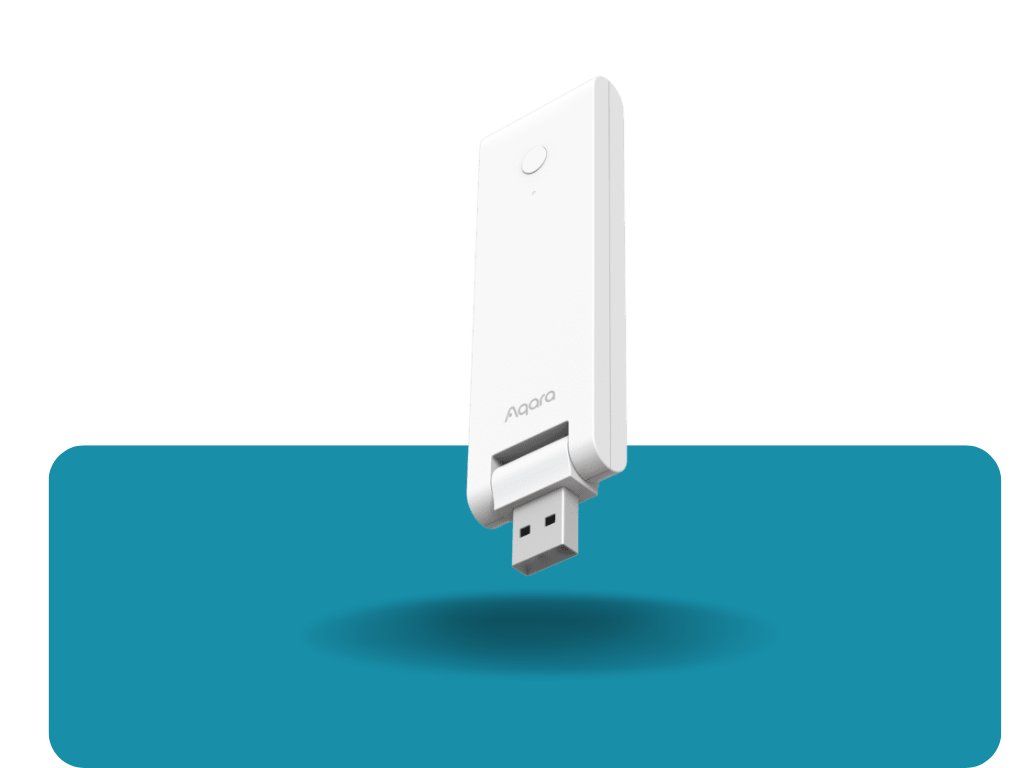
The simplest and entry-level
Zigbee 3.0 gateway in the Aqara portfolio. It serves strictly as a translator between the Aqara Home app and Zigbee sensors/switches – you won't find any extra features like IR control, a speaker, or PoE here. It connects via Wi-Fi. An ideal foundation if you just want to connect a few Aqara sensors and don't need advanced features.
Protocols: Zigbee 3.0, Wi-Fi
Features: Zigbee gateway, plug & play installation
Compatibility: Aqara Home app

A next-generation compact USB gateway, the official successor to the E1 (the M100 hub supports migration from the E1). Powered directly via a USB-A port (charger, router, power bank) and pivots up to 210° for discreet placement near an outlet. Compared to the E1, it adds support for
Thread and Matter, faster Wi-Fi 6 (2.4 GHz) with WPA3 encryption, and larger memory (128 MB DDR).
Protocols: Zigbee 3.0, Thread, Wi-Fi 6, Bluetooth LE 5.2
Features: Matter Bridge, Thread Border Router, local automations (work even without an internet connection)
Capacity: up to 20 Zigbee + 20 Thread devices simultaneously
Compatibility: Apple Home, Google Home, Alexa, SmartThings, Home Assistant

The mid-range option between the M100 and the flagship M3. It adds 360° infrared control (can learn remotes for TVs, air conditioners, etc.), dual-band Wi-Fi (2.4/5 GHz), and power via PoE or USB-C. Features a built-in 90dB speaker for chimes, alarms, or custom voice recordings.
Protocols: Zigbee/Thread, Wi-Fi (2.4/5 GHz), Bluetooth, IR (38 kHz), Matter
Features: Matter Controller, Thread Border Router, Matter Bridge, IR remote control, local automations
Capacity: 40 Aqara Zigbee + 40 Thread devices
Compatibility: Apple Home, Google Home, Alexa, SmartThings (via Matter)

Aqara's flagship control unit. Packed with the same features as the M200 (IR control, Matter Controller/Bridge, Thread Border Router), but with significantly higher capacity and performance – operating as an "edge hub" with local eMMC storage for encrypted data saving and automations. Equipped with a 95dB speaker and supports MagicPair for simple pairing.
Protocols: Zigbee 3.0, Thread, Wi-Fi (2.4/5 GHz), Bluetooth, IR, Matter
Features: Matter Controller, Thread Border Router, Matter Bridge, IR control, network redundancy, end-to-end encrypted local storage
Capacity: up to 127 Zigbee/Thread devices
Compatibility: Apple HomeKit, Google Home, Amazon Alexa, IFTTT, Matter

A premium wall-mounted touch panel (6.9") that replaces a double light switch (2× built-in relays + 6 wireless switch functions) while serving as a full-featured Zigbee hub. View live video streams from Aqara doorbells and cameras directly on the display, control lighting color/temperature, blinds, or thermostats, and customize up to 10 dashboards (up to 60 cards each). The screen activates automatically via a proximity sensor (up to 2.5 m).
Protocols: Wi-Fi (2.4/5 GHz), Zigbee 3.0, Bluetooth
Features: Matter Bridge, high-capacity Zigbee hub, live camera/doorbell streaming directly to display, energy consumption monitoring, wall switch (2 relays)
Compatibility: Apple HomeKit, Google Home, Alexa, Matter

A compact camera (146° field of view, 1080p) inside a housing that doubles as a Zigbee 3.0 control unit. Supports HomeKit Secure Video with end-to-end encryption, facial recognition (via iCloud library), two-way audio (microphone captures audio up to 5 m, 85 dB speaker), and activity zones with privacy masking.
Protocols: Zigbee 3.0, Wi-Fi (2.4 GHz)
Features: Zigbee hub (connect up to 128 devices), HomeKit Secure Video, facial recognition, event timeline, night vision (940nm IR)
Compatibility: Apple HomeKit, Google Home, Amazon Alexa, IFTTT
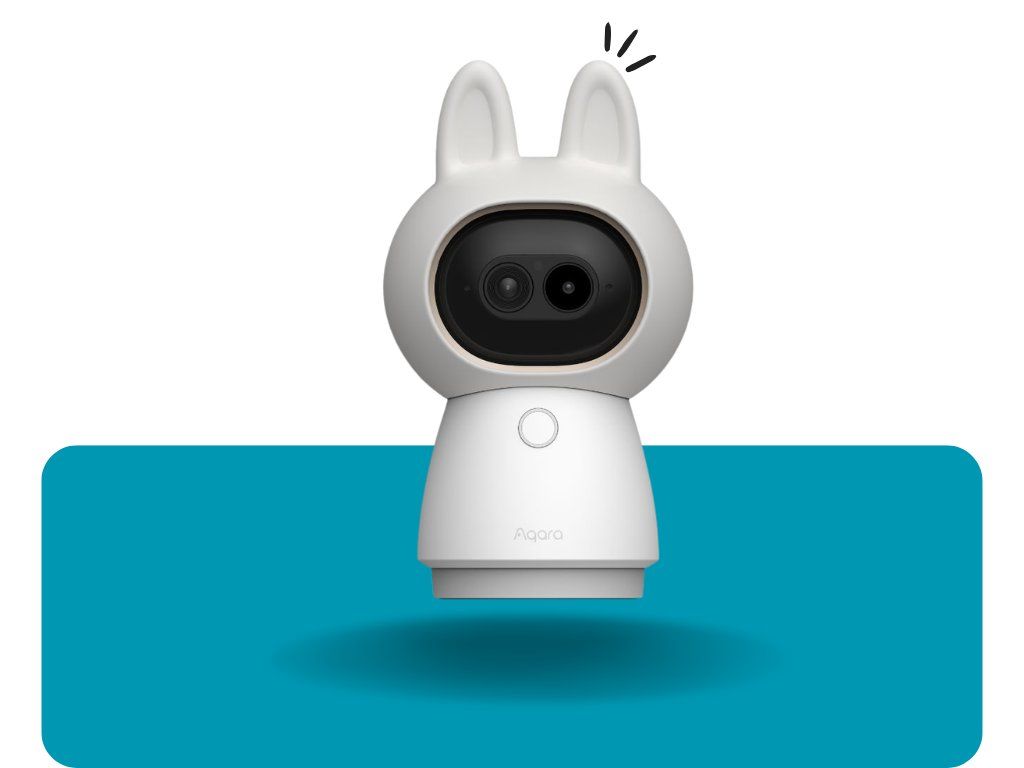
A premium security camera featuring dual lenses (4K wide-angle + 2.5K telephoto, 9× hybrid zoom) and motorized PTZ (360° pan, 39° tilt). AI detects humans, pets, faces, and gestures, and can recognize 6 distinct sound types (crying, coughing, barking, etc.). It also functions as a dual Zigbee and Matter hub.
Protocols: Wi-Fi 6 (2.4/5 GHz, WPA3), Zigbee/Thread, Bluetooth, Matter
Features: Zigbee hub + Matter Controller, Thread Border Router, two-way audio (up to 8 m), local and cloud storage
Compatibility: HomeKit Secure Video, Home Assistant, Google Home, Alexa, SmartThings

A security camera with 2.6K resolution, a wide 133° field of view, an integrated Zigbee 3.0 hub, and a Thread Border Router. On-device AI recognizes faces, vehicles, humans, pets, and packages. Weather-resistant (IP65/66), suitable for outdoor use (-30 °C to +50 °C). Powered via USB-C and connects to Wi-Fi.
Protocols: Wi-Fi, Zigbee, Thread, Bluetooth, Matter
Features: Zigbee hub, Matter Controller/Bridge, Thread Border Router, two-way audio, night vision (true color), local storage (32 GB eMMC + NAS/cloud support)
Compatibility: HomeKit Secure Video, Google Home, Alexa, Matter

Identical specifications and features to the G5 PRO WiFi version above, but powered directly via an Ethernet PoE cable instead of Wi-Fi/USB-C – ideal for fixed, stable installations without needing a Wi-Fi signal at the camera location.
Protocols: Ethernet (PoE), Zigbee, Thread, Bluetooth, Matter
Features: Same as G5 PRO WiFi (Zigbee hub, Matter Controller/Bridge, Thread Border Router)
Compatibility: HomeKit Secure Video, Google Home, Alexa, Matter

A smart video doorbell that also serves as a Zigbee/Thread hub. Allows you to unlock Aqara smart locks right from the door, trigger arrival scenes (e.g., "Welcome Home" via facial recognition), mask private areas of the field of view, and change voice tones. The main chime unit features a built-in 95dB speaker with custom ringtones, while the indoor chime repeater can run on 6 AA batteries as a backup during power outages.
Protocols: Zigbee, Thread, Wi-Fi (2.4/5 GHz, WPA3), Bluetooth, Matter over Thread
Features: Zigbee/Thread hub, unlock smart locks at the door, facial recognition, automatic live streaming to Aqara display panels
Compatibility: Matter, Apple HomeKit, Google Home, Alexa
How to Choose?
Just want to try out a few sensors: Aqara Hub E1 or M100.
Want IR control for TV/AC and PoE power: Aqara Hub M200.
Large house, many devices, maximum performance: Aqara Hub M3.
Want a hub and wall control panel in one: Aqara S1 Plus Panel Hub.
Want a hub and camera in one single device: G2H PRO (basic), G5 PRO (advanced, WiFi/PoE), G350 (top-tier with PTZ and dual lens), or G410 if you also want a smart doorbell.
Need advice on which of these control units best fits your planned setup? Send us a message – we will be happy to help you choose.
Frequently Asked Questions
Which Aqara hub should I buy as a complete beginner? +
If you just want to test a few Aqara sensors, the Hub E1 or the newer M100 is enough. Both are affordable, easy to set up (plug & play), and handle basic automations. The M100 also features Thread and Matter support, making it more future-proof.
Can I easily replace an E1 with an M100, or do I have to set up everything from scratch? +
Aqara directly supports migration from Hub E1 to M100 via the Aqara Home app – allowing you to transfer most settings and paired devices without rebuilding your system from scratch. However, migration is only available within the Aqara app, not across other ecosystems.
What is the difference between Hub M100, M200, and M3? +
The M100 is the smallest and most affordable, without IR control or PoE, supporting up to 20+20 devices. The M200 adds 360° infrared control, PoE power, and a speaker, increasing capacity to 40+40 devices. The M3 is the flagship model with features matching the M200, but with capacity for up to 127 devices and more advanced local processing (acting as an edge hub).
Do I need a separate hub if I buy a G2H PRO, G350, or G5 PRO camera? +
No. All three cameras feature a built-in Zigbee (and potentially Thread) hub, allowing you to connect additional Aqara sensors and switches directly without an additional hub device. Adding a standalone hub is only necessary if you need to cover a larger range or connect more devices than the camera can handle on its own.
Does an Aqara hub work without an internet connection? +
Models M100, M200, and M3 process automations locally directly on the device, meaning standard routines (e.g., sensor detects open door → turns on light) continue to work during internet outages. However, remote control outside your home network and cloud notifications always require an active internet connection.
Why am I having trouble pairing my Zigbee sensor with the hub? +
The most common causes are excessive distance from the hub, a depleted sensor battery, or a sensor that was previously paired with another hub and needs to be factory reset first. For models with Wi-Fi 5 GHz support (e.g., M100, M200), try temporarily disabling the router's 5 GHz band – some Aqara devices pair reliably only over 2.4 GHz.
Do Aqara hubs work with Apple HomeKit, Google Home, and Alexa? +
Yes, most models (M100, M200, M3, S1 Plus, as well as the G2H PRO/G350/G5 PRO/G410 cameras) support Matter, allowing them to be added to Apple Home, Google Home, and Amazon Alexa. The Hub E1 lacks this integration and functions strictly within the Aqara Home app.
What does it mean if a hub is also a "Thread Border Router"? +
A Thread Border Router bridges low-energy Thread mesh networks with your home Wi-Fi/LAN network. This enables Thread devices (like newer Matter sensors) to communicate with the app and the internet, while the hub simultaneously extends the Thread network coverage for other nearby devices – including those from third-party manufacturers.
Is the PoE version of the G5 PRO worth it compared to the WiFi version? +
Features and image quality are identical – the only difference lies in the power/connection method. The PoE version is ideal if you are installing the camera in an area with weak Wi-Fi signal or want a single cable to handle both power and data. The WiFi version offers more flexible placement without needing to run an Ethernet cable.
How many devices can I connect to each hub? +
As a guide: the E1 handles a small number of basic Zigbee devices, the M100 up to 20 Zigbee + 20 Thread devices, the M200 up to 40 + 40, the M3 up to 127 Zigbee/Thread devices, and the G2H PRO camera hub also supports up to 128 devices. When planning a larger smart home setup with dozens of sensors, it is recommended to opt for the M3.
Can a single Aqara app manage multiple hubs at the same time? +
Yes, the Aqara Home app lets you manage multiple hubs (e.g., combining an M3 in the living room and a G2H PRO camera in the hallway) under a single home profile and account, including cross-hub automations across different devices.