
SONOFF Thermostat Core (TP-WGZBA) is an in-wall Zigbee thermostat that controls hydronic underfloor heating and a boiler from a single device. It has a rotary dial, a display that wakes up only when you walk up to it, three weekly schedules, and it can work together with TRV-ZBT Gen2 radiator valves. This guide shows whether it suits your heating, how to wire it, what else you need and how to set it up so it really saves energy.
In short: what you need to know
- Underfloor and boilerA relay for the actuators in the manifold and a potential-free contact for the boiler. No need for two thermostats.
- A Zigbee gatewayThe thermostat has no Wi-Fi. A SONOFF Zigbee Bridge Pro, NSPanel Pro, iHost or Home Assistant with a Zigbee adapter will do.
- Live and neutral in the boxIt needs both L and N for power. An old two-wire thermostat cannot be swapped without changing the wiring.
What is SONOFF Thermostat Core
Thermostat Core (model TP-WGZBA) is a room thermostat for a standard wall box. It measures the room temperature and switches the heating on and off accordingly. Unlike typical room thermostats, it has two separate outputs:
- an active relay (100 to 240 V AC, max. 3 A) for thermoelectric actuators of hydronic underfloor heating,
- a potential-free COM/NO contact that tells the boiler “heat” or “stop”, just like a classic room thermostat.
You control it with a physical rotary dial from 5 to 30 °C, not with tiny touch arrows. A built-in radar sensor turns the display on when you approach and off when you leave, so it does not glow in the bedroom at night. Schedules, temperature offset and other settings are done in the eWeLink app via a Zigbee gateway.

 SONOFF Thermostat CoreZigbee thermostat for underfloor heating and boilers.€34.99
 SONOFF Zigbee Bridge ProThe most affordable gateway for the thermostat, valves and sensors.€17.79
 SONOFF TRV-ZBT Gen2Radiator valve the thermostat can control.€29.50
Does Thermostat Core suit your heating?
| Your heating | Suitable? | Note |
|---|---|---|
| Hydronic underfloor heating with actuators in the manifold | yes | 100 to 240 V AC actuators, max. 3 A in total per thermostat; NC and NO actuators |
| Gas or other boiler with a room thermostat input (ON/OFF) | yes | potential-free COM/NO contact, NO/NC logic set in the app |
| Underfloor heating and boiler at the same time | yes | both outputs work together: when the room needs heat, the actuator opens and the boiler starts |
| Boiler with OpenTherm (modulating output) | ON/OFF only | OpenTherm is not supported, the boiler will only be switched on and off |
| Electric underfloor heating (mats, cables) | no | most draw more than 3 A; choose the MOES Zigbee 16 A thermostat |
| Radiators without your own boiler (e.g. district heating in a flat) | use valves | a smart valve on each radiator is the better choice here |
Tip: Not sure whether your boiler has a room thermostat input or which actuators are in your manifold? Take a photo of the boiler label, terminal block or actuator and send it to info@homesystem.sk. We will tell you whether Thermostat Core will work.
What you need
The thermostat communicates over Zigbee 3.0, so it needs a Zigbee gateway for app control and app schedules. Without a gateway it works as a plain thermostat with a dial.
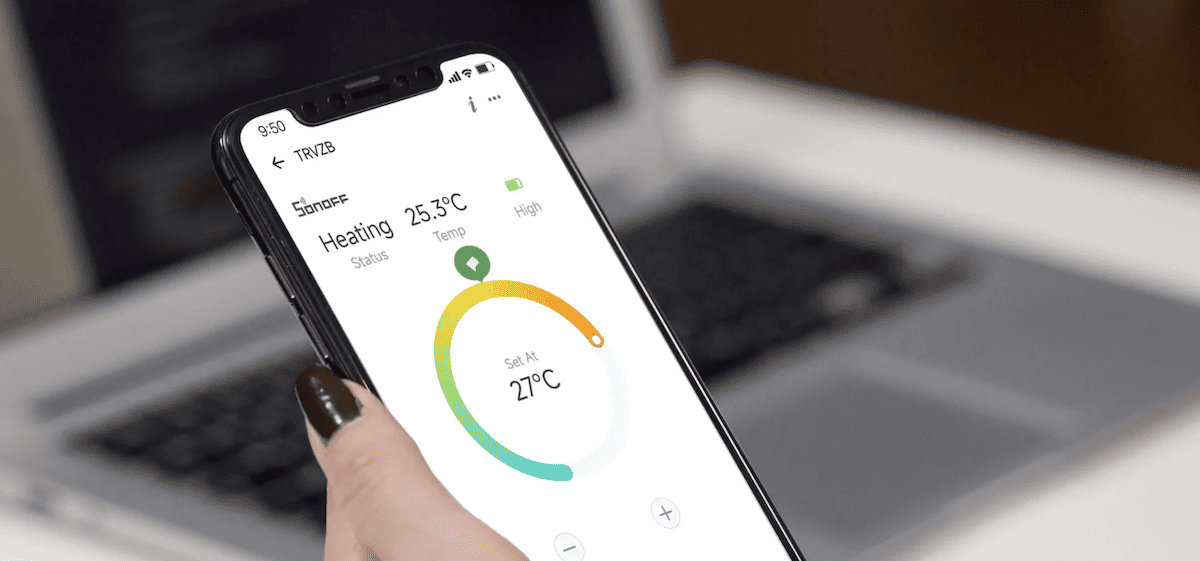
Schedules are stored in the thermostat itself. If the internet or the gateway goes down, it keeps heating according to schedule.
Thermostat Core is a new device, so the gateway must run current firmware. Minimum versions according to the manufacturer:
| Gateway or system | Minimum version | For TRV-ZBT valve control |
|---|---|---|
| SONOFF Zigbee Bridge Pro (ZBBridge-P) | 3.4.1 | 3.5.0 |
| SONOFF Zigbee Bridge Ultra (ZBBridge-U) | 2.6.0 | 2.6.0 |
| NSPanel Pro / NSPanel Pro Gen2 | 4.8.0 | 4.9.0 |
| SONOFF iHost | 2.15.0 | – |
| SONOFF Bridge Max (Bridge-M) | 1.2.0 | – |
| eWeLink app | 5.27.0 | – |
| Home Assistant – Zigbee2MQTT | 2.14.0 | – |
You will also need:
- a wall box with live (L) and neutral (N); the thermostat measures 86 × 86 mm, has 60 mm screw spacing and sits 31.5 mm into the wall,
- wires to the actuators or the boiler (terminals accept 0.2 to 3.5 mm²),
- optionally a floor probe NTC 10 kΩ (B3950) that protects the floor from overheating; not included,
- optionally a Zigbee thermometer for the room and a window sensor (see features).
Wiring the thermostat for underfloor heating and a boiler
There are seven numbered terminals on the back. Which ones you use depends on whether you control underfloor heating, a boiler or both.

| Terminal | Label | What connects here |
|---|---|---|
| 1 | N | neutral |
| 2 | L | live (thermostat power) |
| 3 | L Out | live to the underfloor actuators (max. 3 A); actuator neutral goes to N |
| 4 and 5 | COM, NO | potential-free contact to the boiler room thermostat input; label rating 12 to 48 V DC, max. 3 A |
| 6 and 7 | Sensor | optional floor probe NTC 10 kΩ, β = 3950 |
Safety: Mains wiring must be done by an electrician. Switch off the breaker before installation. Never connect mains voltage to the COM/NO boiler contact: it is only a “switch” for the boiler’s low-voltage input.
- Switch off the breaker for the circuit feeding the box and check with a tester that the wires are dead.
- Remove the old thermostat and see which wires are in the box. You need live L and neutral N. If there are only two wires to the boiler, the thermostat cannot be connected without adding power wires.
- Connect power: N to terminal 1, L to terminal 2.
- Underfloor heating: connect the actuators’ live wire to terminal 3 (L Out) and their neutral to N. Wire several actuators of one zone in parallel and make sure they stay below 3 A in total.
- Boiler: connect the two wires of the boiler’s room thermostat input to terminals 4 (COM) and 5 (NO). The boiler must accept simple ON/OFF control.
- Floor probe (if used) goes to terminals 6 and 7. Place it in a protective conduit in the floor between the heating loops.
- Screw the mounting frame to the box, attach the thermostat and only then switch the breaker back on.
Italian 503 box (rectangular): the thermostat has an 86 mm square format, so a 503 box needs an adapter. SONOFF offers a 3D-print file for it on its website; you will also need two M3 brass heat-set inserts and two M3 × 10 mm screws.
Pairing and first setup
- Update the gateway and the eWeLink app to the versions in the table above.
- In eWeLink open your Zigbee gateway, tap Add and put the thermostat into pairing mode as described in the quick guide in the box. Keep it within a few metres of the gateway for the first pairing.
- After adding it, check for a thermostat firmware update. The manufacturer recommends version 1.0.3 or later.
- In Heating System Settings set the actuator type and boiler contact type. The default logic is NO: the relay closes when heat is needed. That matches common NC actuators (closed when unpowered) and common boilers. For NO actuators choose “NO actuator”, for a boiler with a break contact choose “NC boiler”.
- Set the hysteresis, i.e. how far the temperature must drop below target before heating restarts. A wider hysteresis means less boiler cycling but larger temperature swings.
- Create a heating schedule and switch the thermostat to automatic mode.
Features that save energy
Modes and temporary changes
Automatic mode follows the schedule. Manual holds the temperature set with the dial. Off is actually anti-freeze mode: heating stops but the thermostat protects the room from freezing. Double-press the button to switch to automatic mode. The app also offers two temporary modes, Boost and Timer, for a short heat-up without changing the schedule.
Three weekly schedules
The thermostat has three independent weekly schedules, each with up to 12 time periods per day: one for a normal week, one for working from home and one for holidays. Schedules run on the built-in real-time clock in the thermostat, so they work without internet and without the gateway as long as the thermostat has power.
Underfloor heating reacts slowly: the floor takes hours to warm up and cool down. Start setbacks 1 to 2 hours before you leave and morning heat-up before you get up. A deep night setback does not pay off with underfloor heating; 1 to 2 °C is enough.
Radar display and occupancy heating
The radar presence sensor turns the display on when you come closer. Sensitivity has three levels: about 0.3 m, 0.6 m and 1 m. The same sensor can drive occupancy-based heating: it heats when someone is in the room and stops when it is empty. Useful for a home office or guest room.
Accurate temperature: external thermometer and offset
A wall thermostat measures a temperature affected by the wall and its own electronics. You can set a temperature offset or use a Zigbee thermometer placed elsewhere in the room as the temperature source. Supported models are SNZB-02, SNZB-02P, SNZB-02D, SNZB-02WD, SNZB-02LD, SNZB-02B and SNZB-02M. The thermometer must be connected to the same gateway.
Open window detection
When you air the room, the thermostat detects it from a sharp temperature drop or from a Zigbee window sensor (SNZB-04, SNZB-04P, SNZB-04PR2) on the same gateway. Heating then switches to anti-freeze mode. With underfloor heating the saving is smaller than with radiators (the floor keeps radiating), but with a boiler and radiators it pays off.
Protection and overview
- Floor probe watches the floor temperature, overheat protection turns heating off.
- Anti-freeze protection keeps a minimum temperature even when off.
- Child lock prevents unwanted changes with the dial.
- Up to 6 months of history: target and actual temperature and heating time in eWeLink.
Working with TRV-ZBT Gen2 valves
If you have radiators with SONOFF TRV-ZBT Gen2 valves, Thermostat Core can act as their control panel: via a compatible gateway it synchronises target temperature, mode and schedule for up to 5 TRV-ZBT Gen2 valves. Turn the dial on the wall and the valves in the room follow. In the app this appears as Thermostat Panel Control; Bridge Pro needs firmware 3.5.0 and NSPanel Pro 4.9.0 for it.
Important: synchronisation does not turn each valve into a separate heat request for the boiler. The thermostat switches the boiler based on the temperature in its own room. If you want the boiler to start whenever any room calls for heat, you need a separate control setup, for example an automation in Home Assistant. The older TRVZB (Gen1) is not listed by the manufacturer for this feature.
Home Assistant, Apple Home and other systems
| System | How | What works |
|---|---|---|
| eWeLink | SONOFF Zigbee gateway | all features |
| Home Assistant – Zigbee2MQTT | from version 2.14.0 | almost all features including schedules and temperature source |
| Home Assistant – ZHA | manual script from the manufacturer for now | native support awaits merging, some features do not work |
| Apple Home | via the SONOFF Bridge Max Matter bridge | the thermostat itself is not a Matter device |
| SmartThings | separate SONOFF Edge driver | most features |
| Alexa, Google Home | via the eWeLink account | basic temperature and mode control |
In Zigbee2MQTT you pair the thermostat like any Zigbee device (Permit join). Check your Zigbee2MQTT version first, older versions may not recognise it correctly. To get started, see Getting started with Home Assistant.
Ready-made bundles with prices
Prices load directly from the shop, so you always see the current price and stock.
Thermostat for the manifold actuators, app control and a window sensor.
- SONOFF Zigbee Bridge Pro€17.79
- SONOFF Thermostat Core€34.99
- SNZB-04PR2 window sensor€11.49
The thermostat switches the boiler, TRV-ZBT Gen2 valves follow its temperature and schedule.
- SONOFF Zigbee Bridge Pro€17.79
- SONOFF Thermostat Core€34.99
- 3× SONOFF TRV-ZBT Gen2€88.50
When something does not work
- Heating does not turn on: check that the target is above the measured temperature, the hysteresis setting, the actuator and boiler type (NO/NC) and the wiring. Also make sure the actuators are 230 V, not 24 V.
- Heating does not turn off: check the temperature reading (offset, external thermometer) and the NO/NC setting. If the actuator or boiler stays on even with the contact open, the fault is outside the thermostat.
- It works in reverse (heats when warm, does not heat when cold): almost always the wrong actuator or boiler contact type. Switch NO/NC in Heating System Settings.
- The thermostat will not pair: update the gateway firmware, bring the thermostat closer and check that Zigbee2MQTT is 2.14.0 or later.
- Zigbee or internet outage: nothing happens, schedules keep running in the thermostat. You just cannot change them from your phone for a while.
Frequently asked questions
Do I need a Zigbee gateway for the thermostat?
For app control, app schedules and sensor linking, yes. A SONOFF Zigbee Bridge Pro, Bridge Ultra, NSPanel Pro, iHost or Home Assistant with a Zigbee adapter will do. Without a gateway it works as a plain thermostat with a dial.
Is SONOFF Thermostat Core suitable for electric underfloor heating?
No. The output is rated at 3 A maximum and most electric mats and cables draw more. For electric underfloor heating choose a thermostat with a 16 A relay, such as the MOES Zigbee thermostat for electric heating.
How is the thermostat connected to a boiler?
Through the potential-free COM and NO contact (terminals 4 and 5) connected to the boiler’s room thermostat input. It only switches the boiler on and off; OpenTherm is not supported. Never connect mains voltage to this contact.
Can it replace my old wall thermostat?
Yes, if you have live and neutral in the box. If there are only two wires to the boiler, the thermostat has no power and wires must be added. Have an electrician check the wiring.
Does the schedule work without internet?
Yes. Schedules are stored in the thermostat and follow its built-in real-time clock. They work without internet and without the gateway as long as the thermostat has power.
I have NC actuators, will it work?
Yes. The default logic matches NC actuators (closed when unpowered). For NO actuators change the type in the eWeLink app under Heating System Settings.
How many actuators can I connect?
As many as fit within 3 A. A typical thermoelectric actuator draws a fraction of an amp when running and briefly more when switching on. Check the actual value on the actuator label.
Can the thermostat control radiator valves?
Yes. Via a compatible gateway it synchronises target temperature, mode and schedule for up to 5 SONOFF TRV-ZBT Gen2 valves. Bridge Pro needs firmware 3.5.0, NSPanel Pro 4.9.0.
Does SONOFF Thermostat Core work with Home Assistant?
Yes, in Zigbee2MQTT from version 2.14.0. Native ZHA support has not been merged yet; for now a script from the manufacturer is used and some features do not work.
Is it a Matter thermostat? Will it work with Apple Home?
The thermostat is not a Matter device, but you can add it to Apple Home via the SONOFF Bridge Max Matter bridge. Google Home and Alexa work via the eWeLink account.
Does it fit an Italian 503 wall box?
Not directly. The thermostat has an 86 mm square format and needs an adapter for a 503 box. SONOFF offers a 3D-print file for it.
Is the floor probe included?
No. The thermostat supports an NTC 10 kΩ probe with β = 3950, sold separately. It is optional and protects the floor from overheating.
Not sure the thermostat will work with your boiler?
Send us a photo of the boiler or actuator label and tell us what you want to control. We will advise on wiring and the right bundle. info@homesystem.sk, +421 948 213 492
View SONOFF Thermostat Core