
Sonoff now has two Zigbee thermostatic radiator valves: the proven TRVZB (Gen1) and the new, smaller TRV-ZBT Gen2 with a colour display. We have both in stock. In this guide you will learn which one suits you, how to choose the right adapter, how to install and pair the valve step by step and how to link it with sensors, Home Assistant or your boiler so your heating really saves money.
In short: what you need to know
- A valveTRVZB is the cheapest route to smart heating, TRV-ZBT Gen2 is smaller, quieter and has a colour display.
- A Zigbee gatewayThe valve won't work without one. A Sonoff Zigbee Bridge Pro or Home Assistant with a Zigbee adapter is enough.
- 10 minutesNo draining, no plumber: unscrew the old head and screw on the new one.
Why a smart radiator valve saves money
A classic thermostatic head keeps the room at the same temperature whether you're home or not. A smart valve heats around your life: it warms the bathroom in the morning, lowers the temperature in the empty bedroom during the day, closes the valve while you air the room and switches the whole home to setback mode when you leave.
Every degree you lower the temperature saves roughly 6% of heating energy. The biggest savings come where heating is wasted: in rooms nobody is using and while windows are open. That is exactly what Sonoff valves are built for. A smart valve is also the basis of zone heating control: every room has its own temperature and schedule.

Sonoff TRVZB vs. TRV-ZBT Gen2: which to choose
Both valves use Zigbee 3.0, have an M30 × 1.5 mm thread, adapters in the box, heating schedules, open-window detection and external temperature sensor support. They differ in size, display and comfort.
| Feature | TRVZB (Gen1) | TRV-ZBT Gen2 |
|---|---|---|
| Dimensions | 59.4 × 59.4 × 95 mm | 50 × 50 × 82.9 mm (38% smaller) |
| Display | monochrome | colour IPS, rotates to 4 positions |
| Batteries | 3× AA alkaline | 2× AA alkaline |
| Battery life | typically over 6 months | up to 6 months |
| Setting range | 4 to 35 °C | 5 to 30 °C |
| Heating schedules | daily and weekly | 3 independent weekly schedules |
| Motor noise | standard | quieter, suitable for bedrooms |
| History in eWeLink | up to 6 months | up to 6 months |
| Zigbee2MQTT / ZHA | yes, native | Z2M from 2.12.1, ZHA via quirk for now |
| Our price | €26.99 | €29.50 |
Choose Gen1 (TRVZB) if you want to fit many radiators for as little money as possible, there is enough space around the valve and you use Home Assistant (support is mature). Choose Gen2 (TRV-ZBT) if the valve is close to the wall or behind a curtain, it goes into a bedroom or kids' room where motor clicks bother you, or you want a readable colour display. You can mix both in one network: for example Gen2 in the bedroom and living room, Gen1 in the kitchen, bathroom and hallway.
 Sonoff TRVZB (Gen1)The proven valve with the best price per radiator.€26.99
 Sonoff TRV-ZBT Gen2Smaller, quieter, with a colour display and 3 schedules.€29.50
 Sonoff Zigbee Bridge ProGateway for valves and sensors, control in the eWeLink app.€17.79
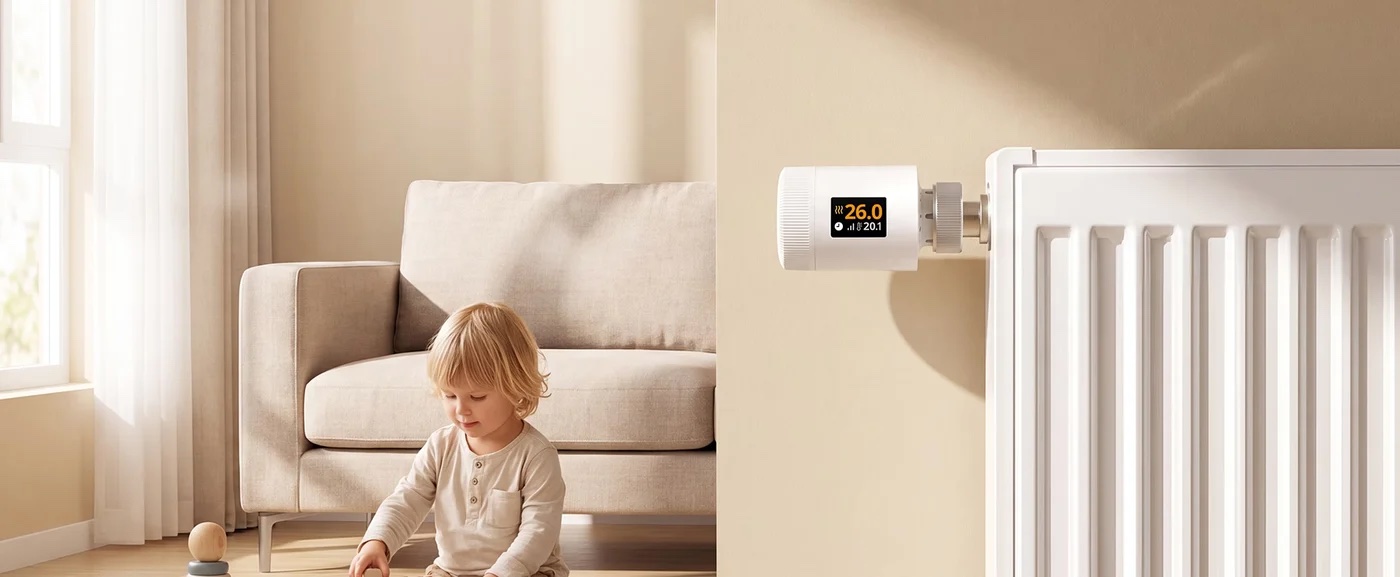
What you need before installing
Sonoff valves have no Wi-Fi. They use battery-saving Zigbee and therefore need a Zigbee gateway (coordinator). Your options:

The valve doesn't connect to your phone directly. Commands always go through the Zigbee gateway.
- Sonoff Zigbee Bridge Pro: the simplest and cheapest option, control in eWeLink, full support for schedules, external sensor and notifications.
- Sonoff iHost or NSPanel Pro: a local hub; the NSPanel Pro is also a wall display for control.
- Home Assistant + Zigbee adapter (e.g. ZBDongle-P/E or Home Assistant Connect ZBT-2): for those who want everything local and advanced automations. More in Getting started with Home Assistant.
- Another Zigbee 3.0 gateway (Homey, SmartThings etc.): the valve pairs, the feature set depends on the gateway's support.
Also get AA alkaline batteries (Gen1 needs 3, Gen2 needs 2). Don't use rechargeables: their lower voltage (1.2 V) makes the valve report low battery. No tools needed – at most pliers for a stuck old head.
Will the valve fit my radiator?
Most valves have an M30 × 1.5 mm thread (Heimeier, Oventrop, MMA, Honeywell and others). The Sonoff valve screws on directly, no adapter needed. For other types there are six adapters in the box:
| Adapter | For valve | How to recognise it |
|---|---|---|
| no adapter | Heimeier, Oventrop, MMA, Honeywell and most M30 | M30 × 1.5 mm thread (approx. 30 mm diameter) |
| RA | Danfoss RA | snap-on neck ⌀ 23 mm with notches |
| RAV | Danfoss RAV | neck ⌀ 34 mm with 4 notches |
| RAVL | Danfoss RAVL | neck ⌀ 25.5 mm with 4 notches |
| CAL | Caleffi | smooth neck ⌀ 23 mm |
| GIA | Giacomini | neck ⌀ 22.6 mm |
| M28 | Herz, Comap, MNG and other M28 | M28 × 1.5 mm thread |
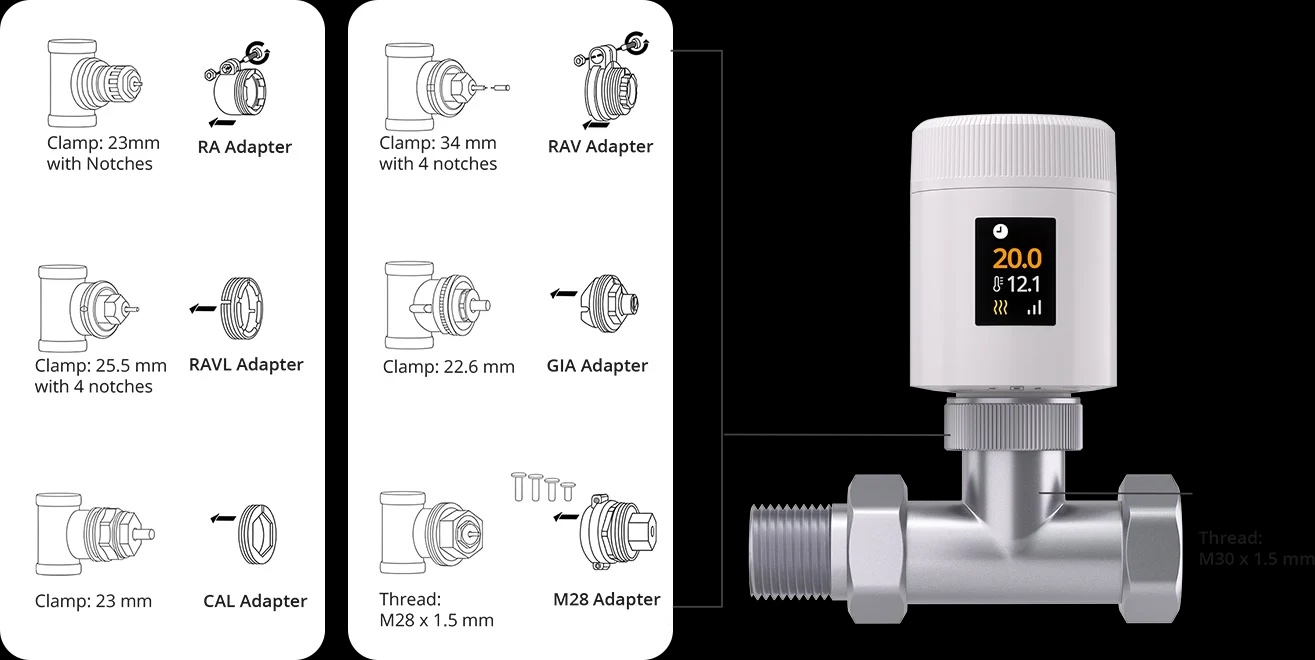
Tip: Not sure which valve you have? Unscrew the old head, take a photo of the valve from the side and front and send it to info@homesystem.sk. We'll tell you which adapter to use or recommend an M28 adapter.
Installing the Sonoff valve step by step
Installation is the same for both generations; the differences are noted in the individual steps. You don't drain the heating: the valve head only presses the valve pin. The valve stays in the pipe and without a head it is simply fully open, no water leaks out.
- Turn the old head to maximum (setting 5 or “max”). This fully releases the valve and the head comes off more easily.
- Unscrew the old head. For M30, loosen the union nut anticlockwise. For Danfoss RA/RAV, loosen the screw or turn the lock and pull the head off.
- Clean the valve of dust and old limescale. Gently move the valve pin with your finger; it should spring in and out. If it is stuck, carefully press it a few times, e.g. with pliers through a cloth.
- Fit the adapter if your valve needs one (see the table above). For RA, RAV and M28 adapters, tighten the supplied screw.
- Insert the batteries. The valve switches on and the motor moves the piston to the mounting position. On Gen2 first separate the base from the body by twisting; the display shows “Setup” and then “Ready”.
- Pair the valve with the gateway (see the next section). We recommend pairing before mounting, while the valve is in your hand and you can see the display.
- Screw the valve onto the radiator by hand, firmly but without tools. On Gen2 screw on the base first, then fit the body and lock it with a twist (travel about 1 cm).
- Start calibration. The valve detects the valve stroke by itself: the motor closes and opens the valve several times. On Gen2 press the large centre button; the display shows “Calibrate”. Calibration also runs after every battery change.
- Test it. Set 3–4 °C above room temperature: the radiator should start warming within a few minutes. Then set a lower temperature and the valve closes.

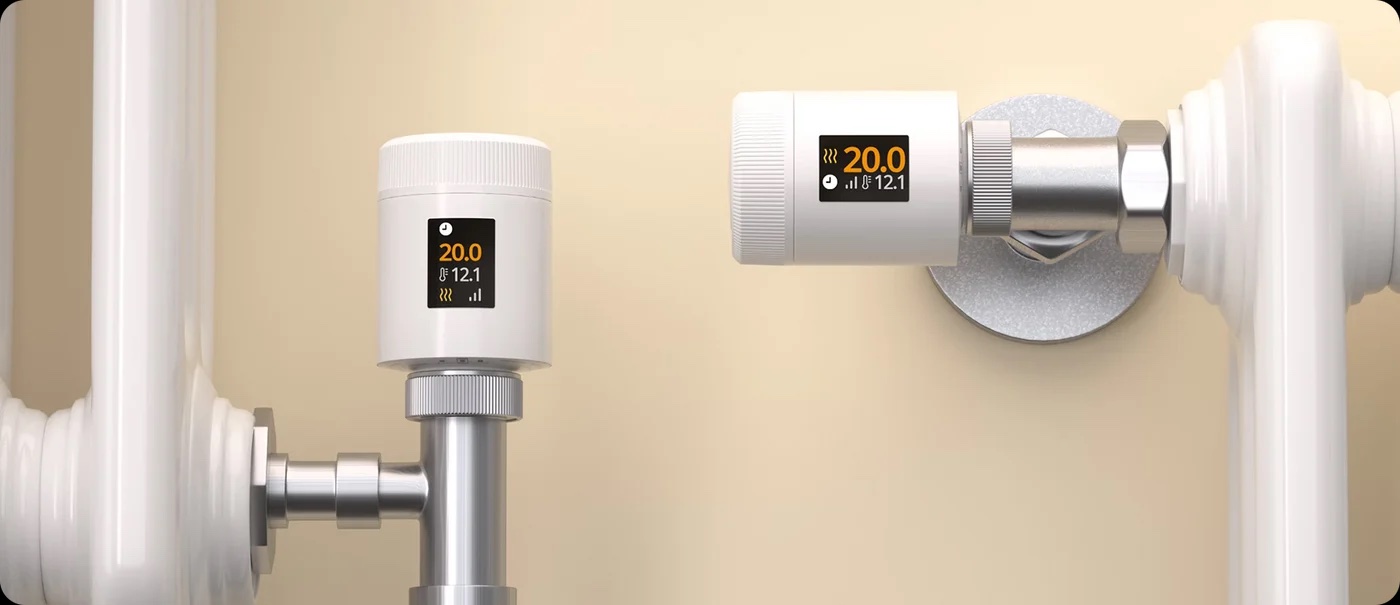
Display upside down or sideways? The Gen2 display rotates by 90° to four positions, so it's readable even on a horizontal valve. On Gen1 you can flip the image by 180°: remove the cover and hold the configuration button for 3 seconds.
Pairing with the gateway in the eWeLink app
- In the eWeLink app, open your Zigbee gateway (e.g. Bridge Pro) and tap Add. The gateway enters pairing mode.
- On the valve, hold the centre button until the connection icon starts blinking on the display.
- The valve usually joins the network within a few tens of seconds. Name it after the room (e.g. “Bedroom – window”) and assign it to the room.
- Check for a firmware update. Sonoff recommends firmware 1.4.4 or later on Gen1, otherwise features such as the external sensor may not work.
If the valve doesn't pair, bring it closer to the gateway (within 2–3 metres), remove and reinsert the batteries and repeat. If you already have mains-powered Zigbee devices (plugs, relays), they act as repeaters and extend the network range.
Settings and features that really save energy
Modes: auto, manual and off
Auto mode heats according to the schedule. Manual holds the temperature you set with the dial or in the app. Off closes the valve, but the valve still protects the radiator from freezing (frost protection, 5 °C by default). Switch between auto and manual with a short press of the centre button.
Heating schedules
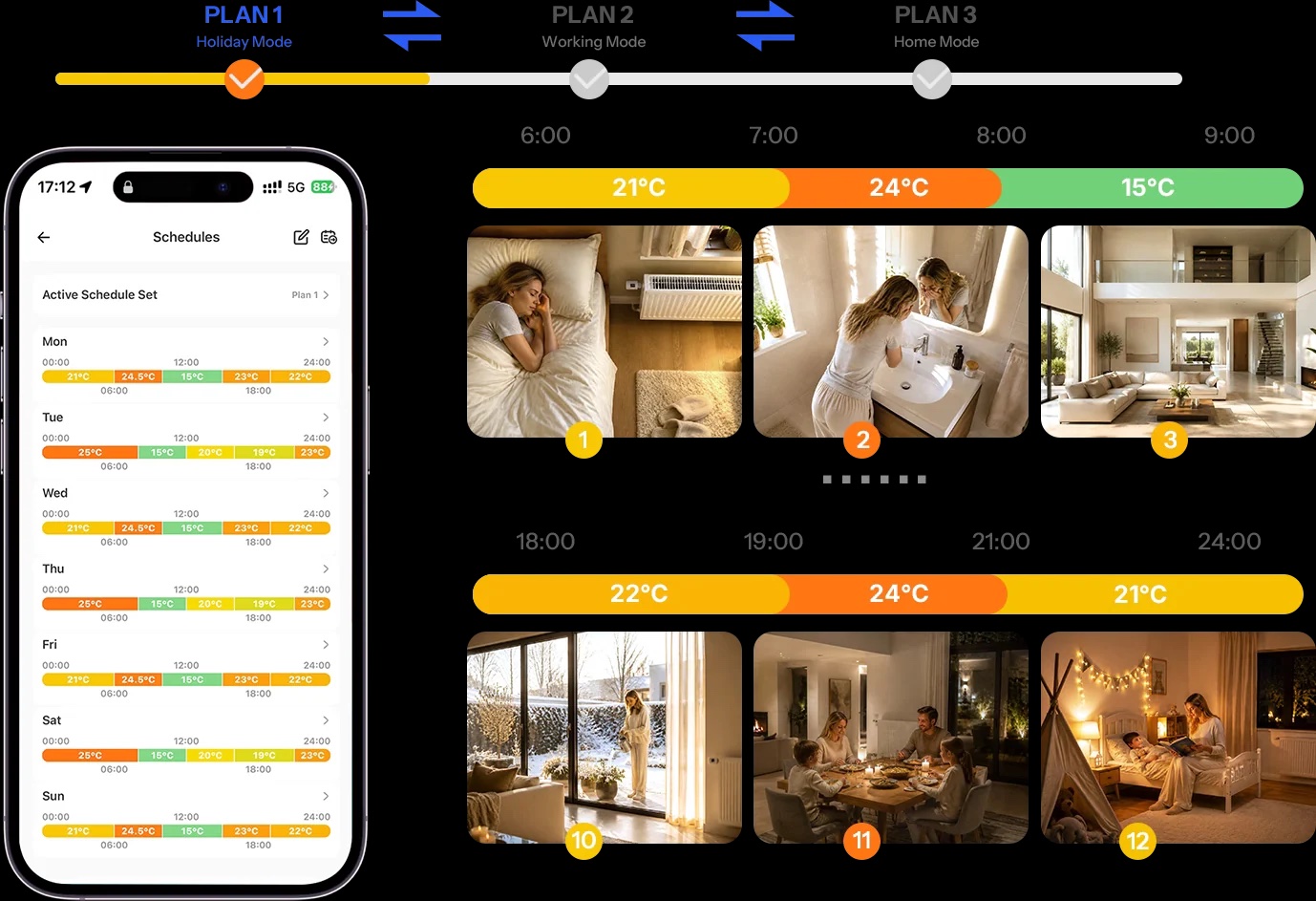
Gen1 has daily and weekly schedules. Gen2 has three independent weekly schedules you can switch between with one tap, for example “Normal week”, “Home office” and “Holiday”. A good start for a bedroom: 21 °C from 6:00 to 7:30, 17 °C during the day, 19 °C from 20:00 and 18 °C at night.
Open-window detection
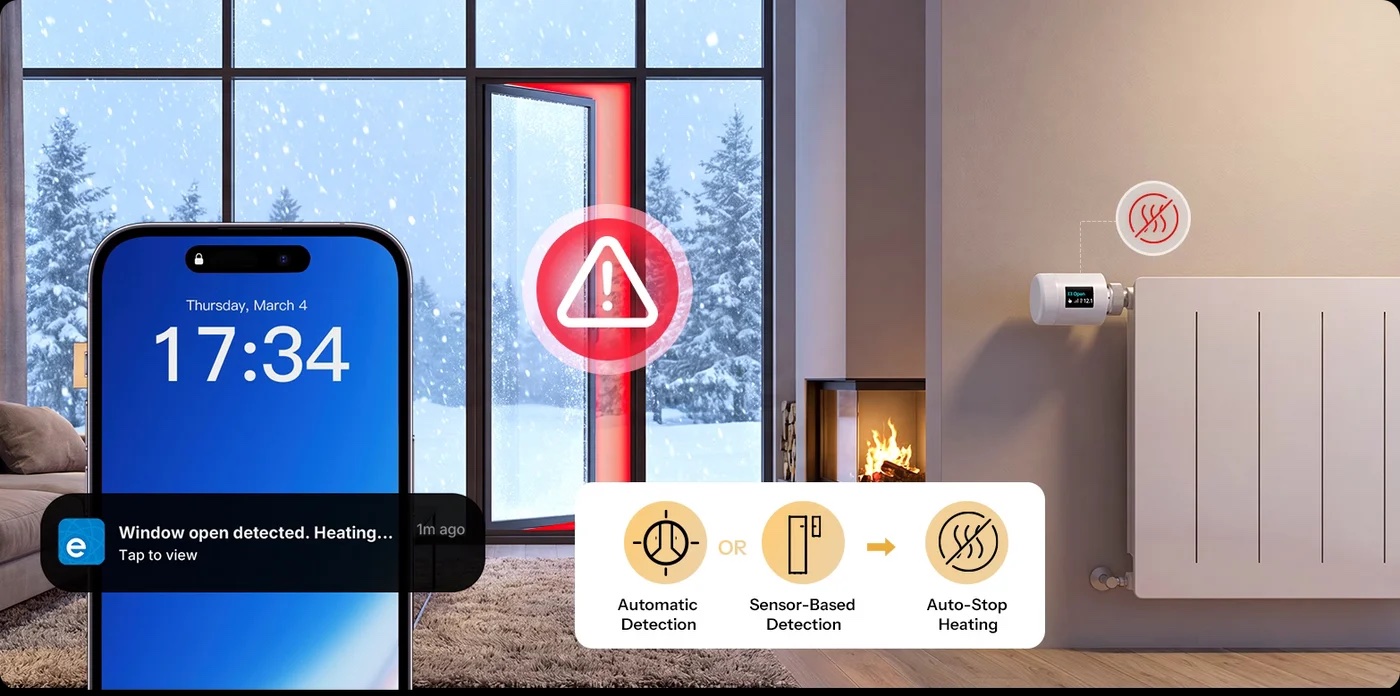
When the temperature at the valve drops sharply (about 1.5 °C within 4–5 minutes), the valve assumes you are airing the room and turns the heating down. When the window is closed and the temperature rises again, it returns to the previous setting. If nothing happens, it resumes heating after 30 minutes at the latest. A window sensor is more reliable.
Temperature offset
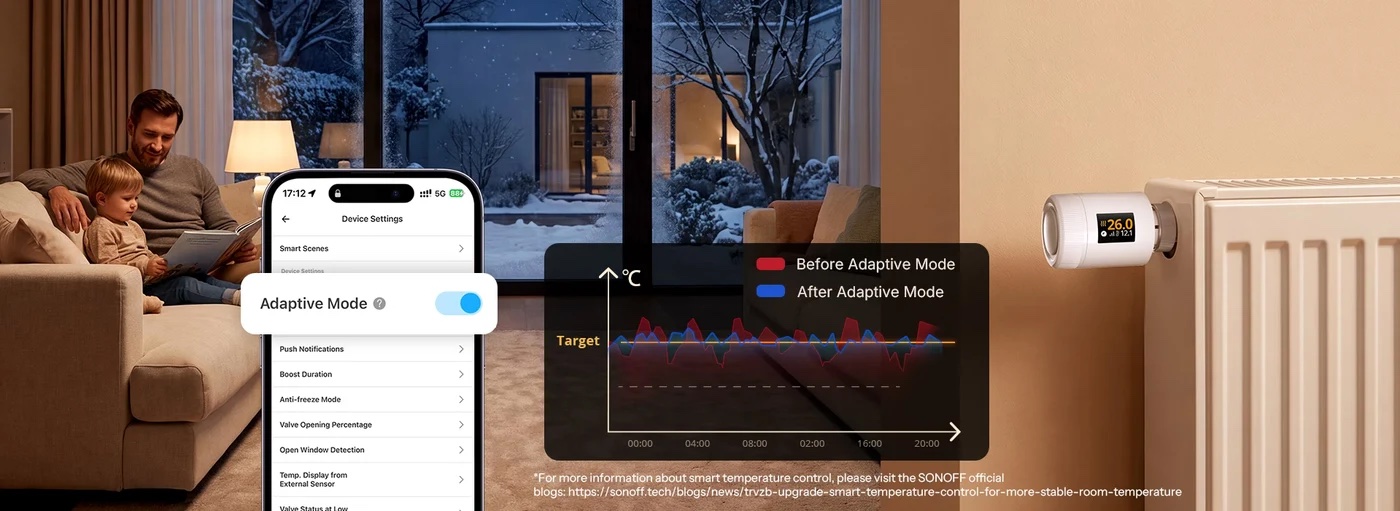
The valve measures temperature right next to the radiator, where it's warmer than in the middle of the room. If it reads 1–2 °C higher than a room thermometer, set Device settings → Temperature offset in eWeLink (range ±7 °C). An external sensor is even better.
External temperature sensor
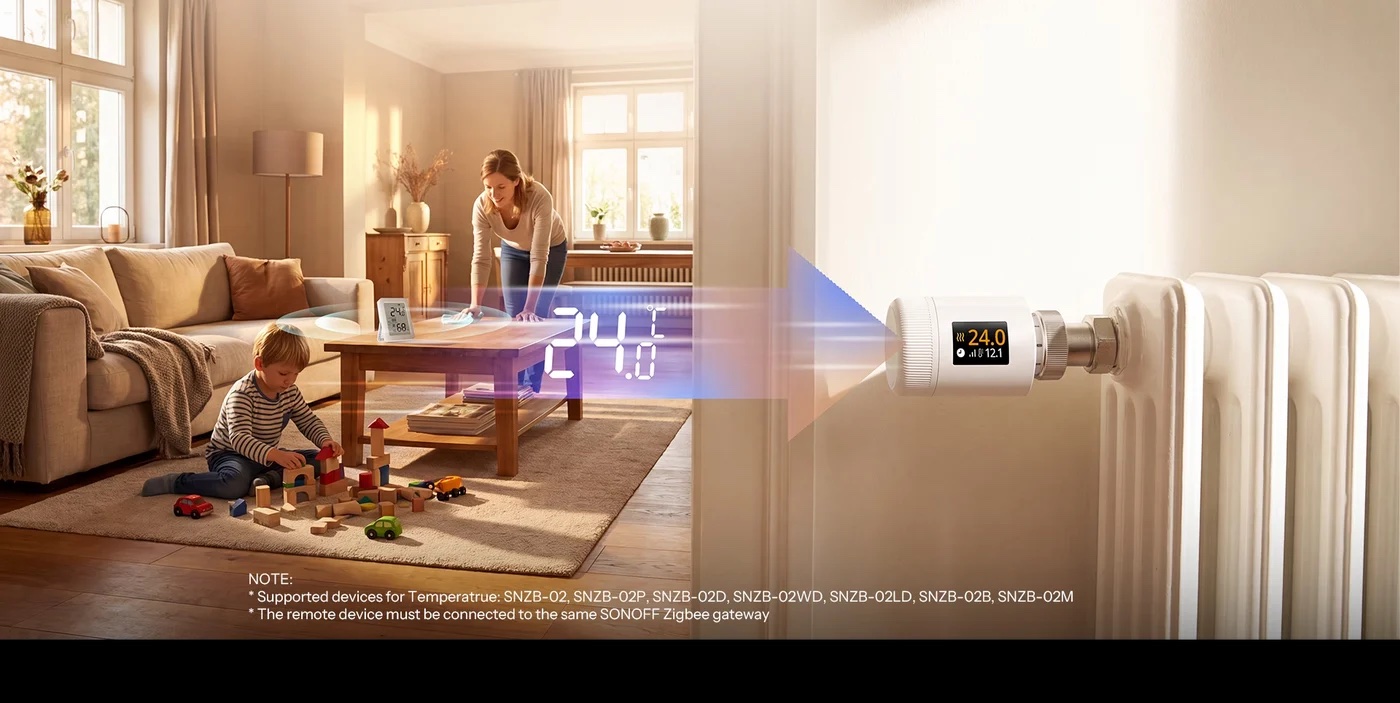
The valve can regulate according to a Zigbee thermometer placed in the middle of the room (e.g. Sonoff SNZB-02M or SNZB-02B). Mount it 1–1.5 m high on an inside wall, away from direct sun and the radiator. Not on the windowsill above the radiator: it's warmer there and the valve would close too early.
Other useful features
- Child lock: hold the centre button for 3 seconds; do the same to unlock.
- Anti-limescale: every Monday at midnight the valve briefly cycles so the pin doesn't seize over the summer.
- Valve opening percentage: in eWeLink you can limit how far the valve opens, e.g. for an oversized radiator.
- Group control: change the temperature in all rooms with one command.
- Up to 6 months of history: see set and measured temperature and valve opening, handy especially in rented flats.
- Voice control: Google Home and Amazon Alexa via your eWeLink account. Apple Home via a Matter bridge (Sonoff iHost, Bridge Max or Bridge Ultra).
Scenarios: Sonoff valves with other devices
The valve saves energy on its own, but combined with other sensors you get truly smart heating. Set up all scenarios below in the eWeLink app under Scenes or in Home Assistant.
Window open = radiator off
The SNZB-04PR2 window sensor sends a signal and the valve switches off immediately. Once closed, it returns to the schedule.
Faster and more reliable than detection by temperature drop.
Temperature where you sit
An SNZB-02M thermometer in the middle of the living room controls the valve under the window. No overheating by the radiator and no cold by the sofa.
Ideal for radiators behind curtains or under windowsills.
Leaving home = setback
When the last family member leaves (phone geolocation), all valves switch to 17 °C. An hour before you return, the home starts warming up.
Works via group control.
Heat only occupied rooms
An SNZB-06P presence sensor in the study: when nobody has been in the room for 30 minutes, the valve lowers the temperature by 3 °C.
Great for home offices and guest rooms.
Boiler runs only when needed
In Home Assistant, a relay or smart thermostat switches the boiler on only when at least one valve calls for heat. When all are satisfied, the boiler switches off.
The biggest saving with a gas boiler.
Bathroom before your shower
23 °C in the bathroom at 6:00, back to 19 °C at 8:00. Two hours later at weekends.
A schedule is all you need.

Sonoff valves in Home Assistant and Zigbee2MQTT
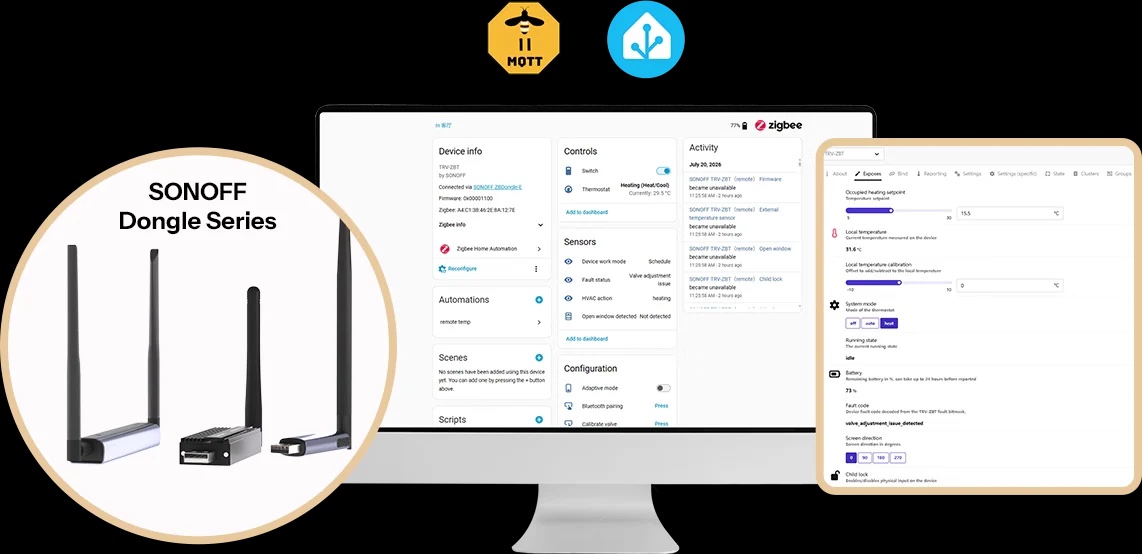
TRVZB (Gen1) works natively in Zigbee2MQTT and ZHA, including temperature offset (Local temperature calibration in ZHA), child lock, window detection and external sensor.
TRV-ZBT Gen2 works directly in Zigbee2MQTT; for full support of all features the manufacturer recommends version 2.12.1 or later. In ZHA the valve pairs straight away, but native support for all features is still pending. Until it's merged you need a script (quirk) from the Sonoff Help Center: save it to /config/zha_quirks and in configuration.yaml set enable_quirks: true and custom_quirks_path: /config/zha_quirks.
Pairing in ZHA: Settings → Devices & services → Zigbee Home Automation → Add device and hold the centre button on the valve. Link an external thermometer with a simple automation that sends the value to the valve on every temperature change. For other Sonoff devices see How to create a Sonoff smart home.
Ready-made bundles with prices
Prices load directly from the shop, so you always see the current price and availability.
Three radiators, phone control, schedules and window detection.
- Sonoff Zigbee Bridge Pro€17.79
- 3× Sonoff TRVZB€80.97
Gen2 with precise control by a room thermometer and window sensor.
- Sonoff Zigbee Bridge Pro€17.79
- 2× Sonoff TRV-ZBT Gen2€59.00
- 2× SNZB-02M thermometer€35.98
- 2× SNZB-04PR2 window sensor€22.98
Problems and error codes
Most problems have a simple cause: a loose valve head, the wrong adapter, a stuck valve pin or weak batteries. The manufacturer lists these error codes for the TRVZB (Gen1):
| Code | Meaning | Solution |
|---|---|---|
| F0 | temperature sensor fault | contact us, this is a warranty claim |
| F1 | valve moves slowly | check the installation and free up the valve pin |
| F2 | stroke range too large | the valve isn't tight or the adapter is missing |
| F3 | stroke range too small | stuck or unusual valve, try another adapter |
| F4 | batteries depleted | replace with new AA alkaline batteries |
| F5 | valve not detected | the head isn't mounted on the valve; screw it on and repeat calibration |
- Radiator heats when it should be closed: the valve doesn't reach the pin. Check the adapter and tightness, then remove and reinsert the batteries to recalibrate.
- Radiator doesn't heat at all: check that the boiler is running and the pin isn't stuck. Bleeding the radiator also helps with older systems.
- Valve loses connection: it's too far from the gateway. Add a mains-powered Zigbee device (plug or relay) as a repeater.
- Valve won't switch on: check polarity and that you're not using rechargeable batteries.
- Factory reset (Gen1): hold the centre button while inserting the batteries; the display flashes “FA” for 3 seconds.
Frequently asked questions
Does the Sonoff valve work without a Zigbee gateway?
No. The valve communicates over Zigbee and needs a gateway or coordinator such as the Sonoff Zigbee Bridge Pro, iHost, NSPanel Pro or Home Assistant with a Zigbee adapter. Without a gateway you can only use the button and dial on the valve itself.
What's the difference between Sonoff TRVZB and TRV-ZBT Gen2?
Gen2 is 38% smaller, has a colour IPS display that rotates to four positions, a quieter motor, three independent heating schedules and runs on 2 AA batteries. The TRVZB (Gen1) is larger, has a monochrome display, uses 3 AA batteries and is cheaper. The core features are the same.
Will the Sonoff valve fit my radiator?
It screws directly onto M30 × 1.5 mm valves. Adapters for Danfoss RA, RAV, RAVL, Caleffi, Giacomini and M28 valves are in the box. If unsure, send us a photo of your valve.
Do I need to drain the heating or call a plumber?
No. You only unscrew the head; the valve stays in the pipe and no water comes out. You can install it yourself in a few minutes.
How long do the batteries last?
About 6 months in normal use, i.e. a whole heating season. Use AA alkaline (LR6) batteries, not rechargeables. The valve warns you of a low battery on the display and in the app.
Does the valve work with Home Assistant?
Yes. The TRVZB works natively in Zigbee2MQTT and ZHA. The TRV-ZBT Gen2 works in Zigbee2MQTT (2.12.1+ recommended) and in ZHA with the manufacturer's quirk until native support is merged.
Can I control it with Apple Home, Google Home or Alexa?
Google Home and Alexa work via your eWeLink account and a Sonoff Zigbee gateway. For Apple Home use a Matter bridge such as the Sonoff iHost, Bridge Max or Bridge Ultra.
Why does the valve show a different temperature than my room thermometer?
It measures right next to the warm radiator. Set a temperature offset in the app or link the valve to an external Zigbee thermometer in the middle of the room.
Can I mix Gen1 and Gen2 in one home?
Yes. Connect both to the same gateway and control them together, even in one group or scene.
How much can smart valves save?
It depends on how you heat today. Each degree lower means roughly 6% savings. You save the most with setback in empty rooms, at night and while airing.
Can I use the valve in a rented flat?
Yes. Installation doesn't damage anything; when you move out, put the original head back and take the smart valve with you.
Not sure which valve fits your radiator?
Send us a photo of your valve and tell us how many radiators you have. We'll recommend the adapter and bundle. info@homesystem.sk, +421 948 213 492
Browse radiator valves