
In winter, many homes get mould in corners, behind wardrobes or around windows. It is no coincidence: warm indoor air carries a lot of water vapour, and on a cold wall it condenses into water. The first step to fixing it is simple: know how humid your home is. A smart thermometer and hygrometer for a few euros shows the humidity in every room, alerts your phone when it gets too high, and can switch on the bathroom fan or a dehumidifier by itself. In this article we explain what humidity is right, why it helps to watch the dew point, and exactly what each sensor needs to work.
In short: what you need to know
- Keep humidity below 60%The US EPA recommends indoor humidity below 60%, ideally 30 to 50%. Above 60% the risk of mould rises.
- No hub: Shelly BLU H&T + a Wi-Fi ShellyThe Bluetooth sensor Shelly BLU H&T sends data through a Wi-Fi Shelly device acting as a Bluetooth gateway (for example Shelly 1 Gen3).
- Zigbee sensors need a gatewaySonoff SNZB-02M, AirGuard TH Lite or the NOUS sensor only work with a Zigbee gateway from their ecosystem.
- The sensor can act tooWhen humidity is high it switches on the bathroom fan via a smart relay or a dehumidifier via a smart plug and sends a notification to your phone.
 Shelly BLU H&T ZBSmall Bluetooth and Zigbee sensor. No hub needed with a Wi-Fi Shelly.€18.99
 Shelly BLU H&T Display ZBWith e-paper display and clock. Bluetooth and Zigbee.€26.99
 Sonoff AirGuard THLarge display, dew point. Proximity mode without a gateway.€14.50
 Sonoff SNZB-02MTemperature, humidity, pressure and dew point. Needs a Zigbee gateway.€17.99
Why mould appears in winter
Indoor air keeps absorbing water vapour: we breathe, cook, shower, dry laundry and water plants. In summer we air it out through open windows. In winter we ventilate less and warm air meets cold surfaces: corners of external walls, window reveals, walls behind wardrobes or beds. When air cools down next to such a wall, it cannot hold all its water vapour and it condenses on the wall. The US EPA describes it the same way: mould is frequently found on walls in cold corners behind furniture where condensation forms.
Mould only needs a wall surface that stays damp for a long time. That is why it appears mostly where air does not move and the wall is coldest. The answer is not just to ventilate more, but to ventilate when it is needed and to know which room has the problem. That is what temperature and humidity sensors are for.
What humidity is right
The US EPA recommends keeping indoor relative humidity below 60%, ideally between 30 and 50%. In winter you can read it like this:
| Relative humidity | What it means | What to do |
|---|---|---|
| below 30% | dry air, unpleasant for mucous membranes and wood | ventilate less, humidifier |
| 30 to 50% | ideal range according to the EPA | nothing, just monitor |
| 50 to 60% | still fine, but watch out near cold walls | watch the dew point and corners |
| above 60% | high risk of condensation and mould | ventilate, fan, dehumidifier |
After a shower or cooking, humidity can jump above 80%. That is normal. What matters is that it drops back within an hour. If it stays high for hours or days, it is time to act.
Dew point: why humidity alone is not enough
The dew point is the temperature at which water vapour starts to condense out of the air. If any surface in the room is colder than the dew point, water appears on it. A few examples (calculated with the Magnus formula):
| Room air | Dew point |
|---|---|
| 21 °C and 50% | about 10.2 °C |
| 21 °C and 60% | about 12.9 °C |
| 20 °C and 65% | about 13.2 °C |
A 10% difference in humidity therefore moves the dew point by about 3 °C. In a well-insulated house this is not a problem. In an older block of flats or at a thermal bridge, however, the corner of an external wall can be only a few degrees above 10 °C during frost, and that is exactly where mould shows up first.
The Sonoff SNZB-02M, AirGuard TH Lite and AirGuard TH sensors calculate the dew point themselves and show it in the eWeLink app. For other sensors, Home Assistant can calculate it, or the table above gives a rough guide.
Tip: If you suspect a cold corner, put a second sensor right next to it for a few days (for example behind a wardrobe) and compare its temperature with the dew point in the room. When the corner temperature gets close to the dew point, that is the place that needs more ventilation, furniture moved away, or better insulation.
Where to place the sensors
- Bedroom: a lot of moisture builds up at night with the windows closed. Place the sensor about 1 to 1.5 m high, not on a radiator or windowsill.
- Bathroom: here the fan controls the humidity. Do not put the sensor right next to the shower but on the opposite wall. According to the shop, Shelly BLU H&T ZB is rated IP54; the other sensors are for indoor use and must be kept away from splashing water.
- A room with a problem corner: one sensor in the room, a second one at the cold spot.
- Cellar, storage room, walk-in wardrobe: places you rarely visit, where humidity builds up unnoticed.
- Outdoors (optional): knowing the outdoor temperature and humidity makes it easier to decide when ventilating is worth it.
Sensors without a separate gateway
If you have no smart home yet, start with a solution that needs no separate gateway or hub.
Shelly BLU H&T ZB + a Wi-Fi Shelly device
Shelly BLU H&T ZB is a small sensor (37 × 37 × 10 mm) powered by a CR2032 coin cell lasting up to 3 years. It communicates over both Bluetooth and Zigbee 3.0. In Bluetooth mode it broadcasts its readings, and a Shelly device acting as a Bluetooth gateway passes them on to your Wi-Fi network. Such a gateway can be the Shelly 1 Gen3 relay or the Shelly Plug M Gen3, which according to the manufacturer has a built-in Bluetooth gateway for nearby sensors. So you do not need to buy a separate gateway, as long as the Shelly device also switches something useful: the bathroom fan or a dehumidifier.
Bluetooth reaches up to 10 m indoors, so the Shelly device should be in the same or a neighbouring room. If you want a sensor in another part of the home, add another Shelly Gen3 device there or use Zigbee mode with a gateway. You choose the mode with the button: four presses start Bluetooth pairing, five presses start Zigbee pairing.
The display version Shelly BLU H&T Display ZB shows temperature, humidity, time and date on an e-paper display that does not light up at night. It also measures light level. It connects the same way: over Bluetooth to a Shelly device or over Zigbee to a gateway.
Sonoff AirGuard TH: display and Proximity mode
Sonoff AirGuard TH (SNZB-02DR2) has a large 3.6" LCD, accuracy of ±0.2 °C and ±2% humidity, and calculates dew point and VPD in the eWeLink app. It is a Zigbee sensor, but the manufacturer also offers Proximity mode: the sensor connects directly to your phone without a gateway and you see the readings while your phone is in range. For alerts from anywhere and automations with other devices you need a Sonoff Zigbee gateway. Once it is connected to a gateway, Proximity mode is disabled, and switching modes resets the sensor to factory settings.
Tip: If you just want a clear wall thermometer and hygrometer, the display works without the app. AirGuard TH also shows the 24-hour maximum and minimum, so in the morning you immediately see how humid it was overnight.
 Shelly 1 Gen3Wi-Fi in-wall relay and Bluetooth gateway for Shelly BLU.€13.69
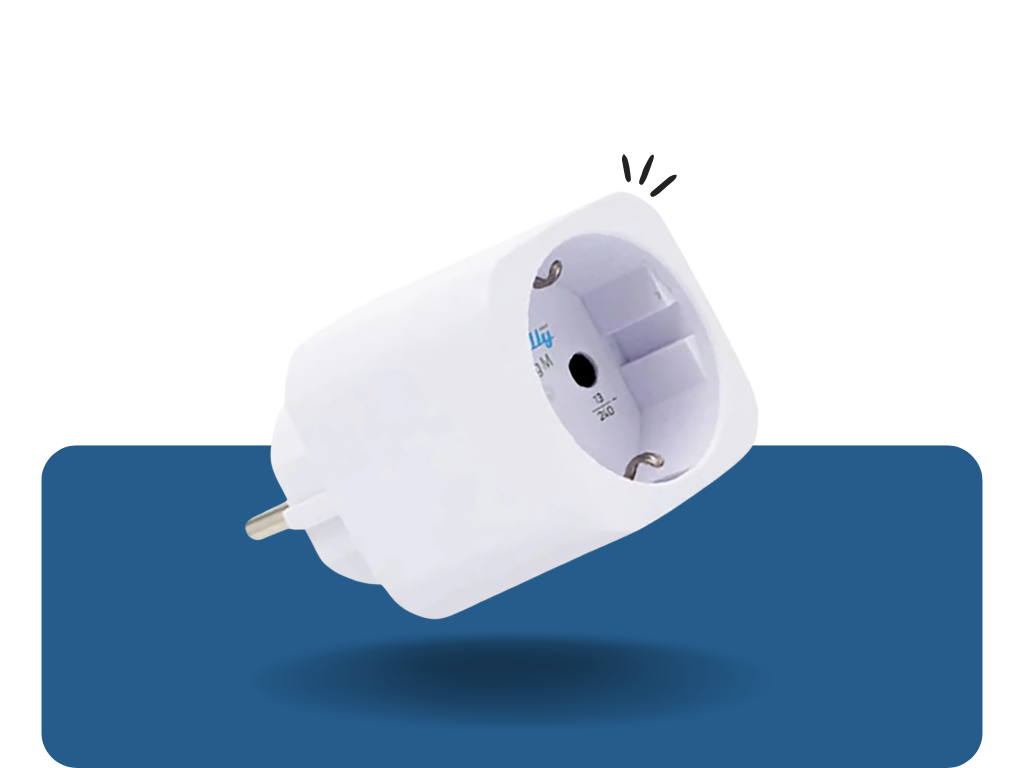 Shelly Plug M Gen3Wi-Fi plug with Bluetooth gateway. For a dehumidifier.€12.39
 NOUS A8M16 A Wi-Fi plug with energy metering.€10.59
If you already have a Zigbee or Z-Wave gateway
Zigbee sensors are cheap and their batteries last for years. Without a gateway, however, you cannot pair them with your phone. Choose the sensor based on the gateway you have, not the other way round.
Sonoff (eWeLink or Home Assistant)
Sonoff SNZB-02M measures temperature, humidity and air pressure and calculates dew point and VPD. Its CR2477 battery lasts more than 2 years according to the manufacturer. AirGuard TH Lite (SNZB-02B) is the cheapest and smallest, runs on two AAA batteries, has a Sensirion sensor (±0.2 °C, ±2%) and calculates dew point. AirGuard E-Ink (SNZB-02UL) has a 2.9" e-ink display that shows a 6-hour history even without the app.
As a gateway you need a Sonoff Zigbee gateway or the NSPanel Pro control panel, which has a built-in Zigbee gateway. Sonoff Zigbee Bridge Pro has been discontinued and is being replaced by a new version that we will stock soon. In Home Assistant a USB adapter is enough, for example Sonoff Dongle Plus MG24.
Tuya and Smart Life
The NOUS temperature and humidity sensor is a Zigbee sensor for the Smart Life and NOUS Smart Home apps, powered by a CR2 battery. It needs a Tuya Zigbee gateway, for example NOUS E15. With the same gateway you can add the NOUS A1Z Zigbee plug for a dehumidifier and set up the scene directly in Smart Life. You can read more about the ecosystem in Tuya and Smart Life: what it is and how to start.
Z-Wave
If you have a Z-Wave controller (Yubii Home, Homey Pro, Home Assistant with a Z-Wave adapter), Aeotec aërQ is a good fit. It does not work without a Z-Wave controller.
Sensor comparison table
Data come from the manufacturers and product pages. Prices in the article are updated live from the shop.
| Connectivity | What else you need | Display | Dew point | Price | |
|---|---|---|---|---|---|
| Shelly BLU H&T ZB | Bluetooth + Zigbee | a Shelly Gen3 device as Bluetooth gateway (e.g. Shelly 1 Gen3, Plug M Gen3) or a Zigbee gateway | no | in Home Assistant | €18.99 |
| Shelly BLU H&T Display ZB | Bluetooth + Zigbee | same as BLU H&T ZB | e-paper, clock | in Home Assistant | €26.99 |
| Sonoff AirGuard TH | Zigbee 3.0 | nothing in Proximity mode (only within phone range), otherwise a Sonoff Zigbee gateway | 3.6" LCD | yes (eWeLink) | €14.50 |
| Sonoff SNZB-02M | Zigbee 3.0 | a Sonoff Zigbee gateway, NSPanel Pro or Home Assistant with an adapter | no | yes (eWeLink), plus pressure | €17.99 |
| Sonoff AirGuard TH Lite | Zigbee 3.0 | same as SNZB-02M | no | yes (eWeLink) | €8.99 |
| Sonoff AirGuard E-Ink | Zigbee 3.0 | same as SNZB-02M (the display works without a gateway) | 2.9" e-ink | in the app | €23.99 |
| NOUS temperature and humidity sensor | Zigbee | a Tuya Zigbee gateway (e.g. NOUS E15) | no | no | €12.99 |
Automations against humidity
Measuring alone helps, but automation that reacts by itself saves the most. These four have proven most useful:
- Phone notification. When humidity in the bedroom or cellar stays above 60% for more than an hour, you get a notification. All the apps (Shelly, eWeLink, Smart Life) can alert you when a set value is exceeded.
- Bathroom fan by humidity. A Shelly 1 Gen3 relay in the box next to the fan switches it on when humidity rises above, say, 70% and off when it drops below 60%. The gap between the values (hysteresis) prevents constant switching on and off. Leave wiring a 230 V relay to an electrician.
- Dehumidifier via a smart plug. A Shelly Plug M Gen3 or NOUS A8M plug switches the dehumidifier on at high humidity and off when it drops. The dehumidifier must start by itself when power returns, i.e. have a mechanical switch or a restore-after-power-loss function. Otherwise the plug only switches the power on and the dehumidifier stays off.
- Ventilation reminder. When it is dry and cold outside and humid inside, the app reminds you it is time for a short burst of ventilation. This works best with a second sensor outdoors.
Tip: With Shelly BLU H&T you set up the automation in the Shelly Smart Control app as a scene: the condition is the humidity from the sensor, the action is switching the relay or plug on. The same Shelly device that switches the fan also relays the sensor data.
Ventilation and heating: what to do besides sensors
- Ventilate in bursts: several times a day for 5 to 10 minutes with the window wide open, not all day with a tilted window. The wall does not cool down and the humid air is replaced.
- After showering and cooking, ventilate straight away before the moisture spreads through the home.
- Dry laundry in the bathroom with the fan on or in a dryer, not in the bedroom.
- Move furniture away from external walls by at least a few centimetres so air can flow behind it.
- Do not underheat: in an unheated room the walls are colder and condensation forms sooner. A smart thermostat or radiator valves help keep room temperatures steady; we cover them in Smart thermostat for a gas boiler.
Ready-made bundles with prices
The fan switches on by itself at high humidity. The relay is also the Bluetooth gateway for the sensor.
- Shelly 1 Gen3€13.69
- Shelly BLU H&T ZB€18.99
A display sensor and a plug that switches the dehumidifier and relays the sensor data over Wi-Fi.
- Shelly BLU H&T Display ZB€26.99
- Shelly Plug M Gen3€12.39

Sensors in three rooms, a gateway and a plug for the dehumidifier, all in one app.
- NOUS E15 Zigbee gateway€24.80
- 3× NOUS temperature and humidity sensor€38.97
- NOUS A1Z Zigbee plug€13.99
A USB adapter for Home Assistant, a dew point sensor for the room and an e-ink display for a visible spot.
- Sonoff Dongle Plus MG24€29.90
- Sonoff SNZB-02M€17.99
- Sonoff AirGuard E-Ink€23.99
You will find more models in the Temperature and humidity sensors category.
When something does not work
- Shelly BLU H&T does not show up in the app. Check that a Shelly Gen3 device with the Bluetooth gateway function enabled is within range (up to 10 m). Add the sensor in the Shelly Smart Control app and press the button four times when pairing.
- BLU H&T readings arrive irregularly. The sensor is probably at the edge of its range. Move it closer to the Shelly device or add another Shelly device as a gateway.
- A Zigbee sensor will not pair. The gateway must be online, adding sub-devices must be enabled in the app, and the sensor should be close to the gateway. You cannot pair a Sonoff sensor with a Tuya gateway or vice versa unless the manufacturer explicitly says so.
- AirGuard TH is not visible remotely. In Proximity mode it is connected only to a phone in range. For remote access, connect it to a Sonoff Zigbee gateway (this resets it to factory settings).
- Two sensors next to each other show different humidity. A difference of a few percent is within tolerance. If it is larger, leave them side by side for an hour and use calibration in the app if the sensor offers it.
- The dehumidifier does not turn on with the plug. It does not start by itself after power returns. You need a model with a mechanical switch or with state memory.
- Humidity stays high although you ventilate. Check that you ventilate in bursts, do not dry laundry in the room, and that the moisture does not come from another cause, such as a leak or a damp wall. There the sensor only warns you; the problem needs a building fix.
Frequently asked questions
What is the ideal humidity in a home?
The US EPA recommends keeping relative humidity below 60%, ideally between 30 and 50%. A short rise after a shower or cooking is normal; what matters is that it drops quickly.
At what humidity does mould appear?
The risk rises sharply above 60%. Wall temperature matters too: if a surface is colder than the dew point of the air, water condenses on it and mould can appear even at lower room humidity.
Which humidity sensor works without a gateway?
Shelly BLU H&T ZB and BLU H&T Display ZB, if a Shelly Gen3 device acting as a Bluetooth gateway is in range, for example Shelly 1 Gen3 or Shelly Plug M Gen3. Sonoff AirGuard TH works without a gateway in Proximity mode, but only while your phone is in range.
Does Shelly BLU H&T need a separate gateway?
No, as long as a Shelly device with the Bluetooth gateway function (for example Shelly 1 Gen3) is in range. In Zigbee mode it needs a Zigbee gateway, for example Home Assistant with an adapter.
What do I need for the Sonoff SNZB-02M?
A Sonoff Zigbee gateway, the NSPanel Pro control panel, or Home Assistant with a Zigbee adapter such as Sonoff Dongle Plus MG24. Without a gateway you cannot connect to the sensor.
What is the dew point and why watch it?
It is the temperature at which water vapour starts to condense out of the air. At 21 °C and 60% humidity it is about 12.9 °C. If a wall corner is colder, condensation forms on it. Sonoff SNZB-02M and the AirGuard sensors calculate the dew point themselves.
Can the sensor switch on a fan or dehumidifier by itself?
Yes. A smart relay such as Shelly 1 Gen3 switches the fan; a smart plug such as Shelly Plug M Gen3 or NOUS A8M switches the dehumidifier. You set the rule in the app as a humidity-based scene.
Where should I put a humidity sensor?
In the bedroom, bathroom and rooms with problem corners, about 1 to 1.5 m high, away from radiators and direct sunlight. You can put a second sensor right at the cold corner or behind a wardrobe.
How long does the sensor battery last?
According to the manufacturers, roughly 2 to 3 years: Shelly BLU H&T ZB up to 3 years on a CR2032, Sonoff SNZB-02M more than 2 years on a CR2477, AirGuard TH Lite up to 2 years on two AAA batteries.
Will a sensor help if I already have mould?
A sensor will not remove mould, but it shows when and where it forms. The mould needs to be removed and the cause addressed with ventilation, heating, a dehumidifier or building work. The sensor then makes sure it does not come back.
Watch humidity before mould appears
Choose a sensor based on what you already have: Shelly on Wi-Fi without a hub, or Sonoff or Tuya with a Zigbee gateway. Add a relay for the fan or a plug for the dehumidifier and the automation does the rest.
View sensors