
An old room thermostat on a boiler can be replaced with a smart thermostat that you control from your phone, that heats to a weekly schedule and knows when nobody is home. Our shop has thermostats on Wi-Fi, Zigbee and Z-Wave. They look similar, but each one needs something different: one you just wire up and connect to Wi-Fi, another won't work without a gateway or hub. A boiler can also be controlled without a classic thermostat at all, using just a volt-free relay and a thermometer in the room. In this article we compare all the options, show exactly what else you need to buy and explain when smart radiator valves are enough instead of a thermostat.
In short: what you need to know
- A Wi-Fi thermostat works without a gatewayNOUS H6 and the eWeLink WiFi thermostat connect directly to your home Wi-Fi. All you need is the app.
- Zigbee and Z-Wave need a hubMOES ZHT-SR-GC needs a Zigbee gateway (for example NOUS E15), HeatIT Z-Temp3 needs a Z-Wave hub and a relay at the boiler.
- A relay and a thermometer also workA volt-free relay at the boiler (for example Shelly 1 Gen3) and a thermometer in the room make a virtual thermostat in the app or hub.
- Radiator valves don't switch the boilerA smart valve only controls its own radiator. The thermostat switches the boiler on and off. A combination of both works best.
 NOUS H6 Wi-Fi kitWireless thermostat + boiler receiver. No gateway.€69.99
 eWeLink WiFi boiler thermostatFits a wall box in place of the old thermostat. No gateway.€54.00
 MOES ZHT-SR-GC ZigbeeThermostat with a rotary knob. Needs a Zigbee gateway.€52.90
 HeatIT Z-Temp3Battery Z-Wave thermostat. Needs a Z-Wave hub and a relay.€69.00
How a smart thermostat controls a gas boiler
Most gas boilers have terminals for a room thermostat. It is a simple volt-free contact (dry contact): when the thermostat closes it, the boiler starts heating; when it opens it, the boiler stops. Smart solutions work exactly like that, they just control the switching more cleverly: to a weekly schedule, from your phone or depending on whether a window is open. The boiler contact can be switched by:
- the thermostat itself, wired in place of the old one (MOES, eWeLink WiFi thermostat),
- the receiver from a kit, which the room thermostat talks to wirelessly (NOUS H6),
- a separate volt-free relay that receives commands from a wireless thermostat or from an automation based on a room thermometer (Shelly 1 Gen3, Shelly Wave 1 and similar).
It is just as important what these thermostats don't do. The thermostats in this comparison only switch the boiler on and off (ON/OFF). They don't talk to the boiler over the OpenTherm or eBus bus, so they don't change the burner output or the water temperature. For NOUS H6 and MOES the manufacturer says so explicitly. If your boiler has no room thermostat terminals and can only be controlled over a bus, you can't connect these thermostats to it.


How the thermostat reaches your phone is the main difference between the types:
- Wi-Fi: the thermostat (or its receiver) connects directly to your home Wi-Fi. Nothing else is needed.
- Zigbee: the thermostat has no Wi-Fi. It is connected by a Zigbee gateway that must belong to the same ecosystem (for MOES that is Tuya / Smart Life).
- Z-Wave: the thermostat talks to a Z-Wave hub and a separate Z-Wave relay switches the boiler. It mainly makes sense if you already have a Z-Wave system at home.
- Relay + thermometer: there is only a smart relay at the boiler and the “thermostat” is created in the app or hub from a room thermometer's readings.
4 thermostats compared in a table
The data come from the product pages and the manufacturers. Prices in the article are filled in live from the shop.
| NOUS H6 | eWeLink WiFi thermostat | MOES ZHT-SR-GC | HeatIT Z-Temp3 | |
|---|---|---|---|---|
| Communication | Wi-Fi 2.4 GHz (receiver) + 868 MHz radio to the thermostat | Wi-Fi | Zigbee 3.0 | Z-Wave 800 (Z-Wave Plus V2) |
| What else you need | nothing, just the NOUS Smart Home app | nothing, just the eWeLink app | Tuya Zigbee gateway (NOUS E15, MOES ZHUB-W) | Z-Wave hub (Yubii Home, Homey Pro) + Z-Wave relay with a volt-free contact at the boiler (for example Shelly Wave 1) |
| Mounting | thermostat on the wall or in a stand, receiver at the boiler | in a wall box, 230 V | in a Ø 60 mm or 86 × 86 mm box, 230 V | on the wall, in System 55 frames or on a shelf |
| Thermostat power | 4× AAA or USB 5 V | 230 V | 95 to 245 V AC | batteries or 3.3 V DC |
| Boiler output | relay COM/NO/NC, max. 10 A | volt-free contact | volt-free contact, max. 5 A | via a Z-Wave relay |
| Schedule | weekly, 4 or 6 periods a day | 6 periods for each day, manual / auto / Eco modes | 5+1+1, 6 periods a day (more in the app) | Heat / Cool / Eco modes |
| Extras | open window detection, frost protection, hysteresis 0.5 to 3 °C, calibration ±4 °C | colour touch display, hysteresis, calibration, child lock | rotary knob with a light ring, child lock | humidity sensor, open window detection, master thermostat for several zones |
| Voice and systems | Alexa, Google Assistant, Tuya | Alexa, Google, eWeLink | Alexa, Google, Tuya / Smart Life | Home Assistant, Homey, SmartThings, Yubii |
| Price | €69.99 | €54.00 | €52.90 | €69.00 |
Wi-Fi thermostats without a gateway
If you have no smart home yet and just want to control the boiler from your phone, start here. A Wi-Fi thermostat needs no gateway or hub, only the app.
NOUS H6: when there is no cable to the thermostat
NOUS H6 is a two-part kit. You wire the receiver to the boiler's room thermostat terminals (COM and NO) and to 230 V power. You put the battery or USB powered thermostat in the room where you actually live. They talk on their own 868 MHz frequency with a range of up to 100 m, so there is no need to chase cables into the walls.
It is especially useful when the old wired thermostat sits in a hallway or the boiler is in a boiler room or basement. If Wi-Fi is weak at the boiler, the manufacturer offers wiring option B: the thermostat stays at the boiler and switches it with its own output (8 A), and you place the receiver within reach of the router. The receiver supports 2.4 GHz Wi-Fi only.
To save energy it has open window detection (a drop of about 1.5 °C in 3 minutes stops heating), frost protection (on below 5 °C, off above 8 °C) and adjustable hysteresis. The schedule, buttons and protections also work without internet.
eWeLink WiFi thermostat: a replacement for a wired thermostat in a wall box
The eWeLink WiFi boiler thermostat (SmartWise) mounts in a wall box in place of the original thermostat and is powered from 230 V. It suits places where a cable to the boiler is already in place and the thermostat is in a good spot. It has a colour touch display, 6 time periods for each day and three modes: manual, automatic to the schedule, and Eco.
It is controlled in the eWeLink app, just like Sonoff devices. The manufacturer points out one limitation: in eWeLink you can't use the thermostat as a scene trigger to control other devices.
Tip: A Wi-Fi thermostat needs a stable signal at the boiler (or at the receiver). Check Wi-Fi on the spot with your phone before buying. If the signal is weak, NOUS H6 with option B is the safer choice.
Zigbee thermostat: if you already have a gateway
MOES ZHT-SR-GC from the Star Ring series is a wall-box thermostat with a rotary knob and a light ring whose colour shows the mode. The GC version is designed for gas and hot-water boilers (volt-free contact, max. 5 A). Watch out for similar versions: GA is for water underfloor heating and GB for 16 A electric heating.
The thermostat has no Wi-Fi. To control it from your phone it needs a Tuya-compatible Zigbee gateway, for example NOUS E15 (Wi-Fi 2.4 and 5 GHz) or the compact MOES ZHUB-W. Without a gateway it works as an ordinary programmable wall thermostat.
Zigbee makes sense if you already have a Tuya / Smart Life gateway, or if you want to add smart radiator valves, window sensors and other devices to the boiler. One gateway handles everything and scenes run in one app. We cover the ecosystem in the article Tuya and Smart Life: what it is and how to start.
Apple Home is not supported directly (no Matter or HomeKit). With Home Assistant, support depends on the integration version, so check the ZHT-SR model before buying.
Z-Wave thermostat: if you already have a hub
HeatIT Z-Temp3 is a battery thermostat with Z-Wave 800. It doesn't switch the boiler itself: it measures the room temperature and sends commands to a Z-Wave relay at the boiler. A boiler needs a relay with a volt-free contact, for example Shelly Wave 1 for a wall box or Shelly Wave Pro 1 for a DIN rail in the distribution board. A typical relay that switches 230 V live is not suitable for boiler terminals.
You link the thermostat and the relay in a Z-Wave hub, for example Yubii Home or Homey Pro mini. We recommend this solution mainly if you already have a Z-Wave system at home. Z-Temp3 can also work as a master thermostat that sends its settings to other zones. More on this wiring method in the next chapter.
Boiler via a volt-free relay and a virtual thermostat
A boiler doesn't have to be controlled by a classic thermostat. A smart relay with a volt-free (dry) contact on the room thermostat terminals is enough. The temperature is measured by a separate thermometer or wireless thermostat in the room and an automation decides when to switch the boiler on. This creates a virtual thermostat: you set a target temperature and hysteresis and the system switches the relay accordingly.
The advantage is that the relay stays hidden at the boiler and the thermometer can go anywhere. You can easily replace it later or add more rooms. These are three proven setups:
Wi-Fi: Shelly 1 Gen3 + Shelly BLU H&T
According to the manufacturer, Shelly 1 Gen3 has a volt-free contact (16 A at 230 V, 10 A at 30 V DC) and also works as a Bluetooth gateway for Shelly BLU devices. The Shelly BLU H&T thermometer therefore needs no other gateway, it only has to be within the relay's Bluetooth range (the manufacturer states up to 10 m indoors). If the boiler is far away, use another Shelly Gen3 or Gen4 device closer to the room as the Bluetooth gateway.
In the Shelly Smart Control app you then create two scenes: when the BLU H&T temperature drops below, say, 20.5 °C, turn the relay on; when it rises above 21.5 °C, turn it off. The difference between the values is the hysteresis that protects the boiler from frequent starts. Add a time schedule with further scenes or schedules.
Z-Wave: Heatit Z-Temp3 + Shelly Wave 1
The battery-powered Heatit Z-Temp3 in the living room measures the temperature and has buttons and a display, so you use it like a normal thermostat. The boiler is switched by Shelly Wave 1 or Shelly Wave Pro 1 with a volt-free contact. You add both devices to a Z-Wave hub (Yubii Home, Homey Pro, Home Assistant with a Z-Wave adapter) and link them, so the thermostat switches the relay at the boiler.
Home Assistant: any relay + any thermometer
Home Assistant has the Generic Thermostat integration, which turns any thermometer and switch into a full thermostat with a target temperature, hysteresis and minimum run time. Shelly 1 Gen3 can serve as the relay, and any Zigbee or Bluetooth temperature sensor you already have as the thermometer.
With a virtual thermostat, think about a safeguard too: set up an automation that switches the boiler off or alerts you when the thermometer stops sending data for a while, for example because of a flat battery.
 Shelly 1 Gen3Wi-Fi relay with a dry contact and a Bluetooth gateway for Shelly BLU.€13.69
 Shelly BLU H&TBattery thermometer and hygrometer, battery life up to 3 years.€18.99
 Shelly Wave Pro 1Z-Wave dry-contact relay for a DIN rail.€43.99
When radiator valves are enough and when you need a thermostat
A smart thermostatic radiator valve screws onto the radiator valve and controls only that one radiator. It can have its own schedule for each room, but it does not switch the boiler on or off. A boiler without a room thermostat heats according to its own settings and doesn't know whether any room still needs heat.
| Your situation | What is enough |
|---|---|
| Flat with central heating, no own boiler | Radiator valves. There is no boiler for a thermostat to switch. |
| Own gas boiler, one main room (flat) | A smart thermostat. Add valves to the bedroom or bathroom later. |
| Boiler and different temperatures in rooms (house, larger flat) | Thermostat in the reference room + valves in the other rooms. |
| Boiler controlled only via OpenTherm / eBus | Radiator valves. The thermostats in this article can't be connected. |
When combining a thermostat and valves, one simple rule applies: in the room with the thermostat, leave the radiator without a smart valve or set the valve higher than the thermostat. Otherwise the valve closes first, the thermostat never reaches its target and the boiler heats for longer than needed.
Valves and a relay can also be combined into full zone control: each room has its own valve, there is a volt-free relay on the boiler and an automation switches the boiler on as soon as even one valve needs heat. Each zone then behaves independently. We'll cover this topic in a separate article.
Which valve to choose? If you have a Tuya gateway for MOES, go for NOUS H1Z: it pairs with the same gateway, has 0.5 °C accuracy, open window detection and the batteries last about a year. SONOFF TRV-ZBT Gen2 belongs to the eWeLink and Home Assistant world (for example with the SONOFF Dongle Plus MG24 adapter). We describe it in detail in SONOFF TRVZB and TRV-ZBT Gen2: guide. How valves work together with a thermostat for underfloor heating and a boiler is shown in the article on SONOFF Thermostat Core.
 NOUS H1ZZigbee valve for Tuya / Smart Life, 3 adapters included.€26.99
 SONOFF TRV-ZBT Gen2Zigbee valve with a colour display for eWeLink and Home Assistant.€29.50
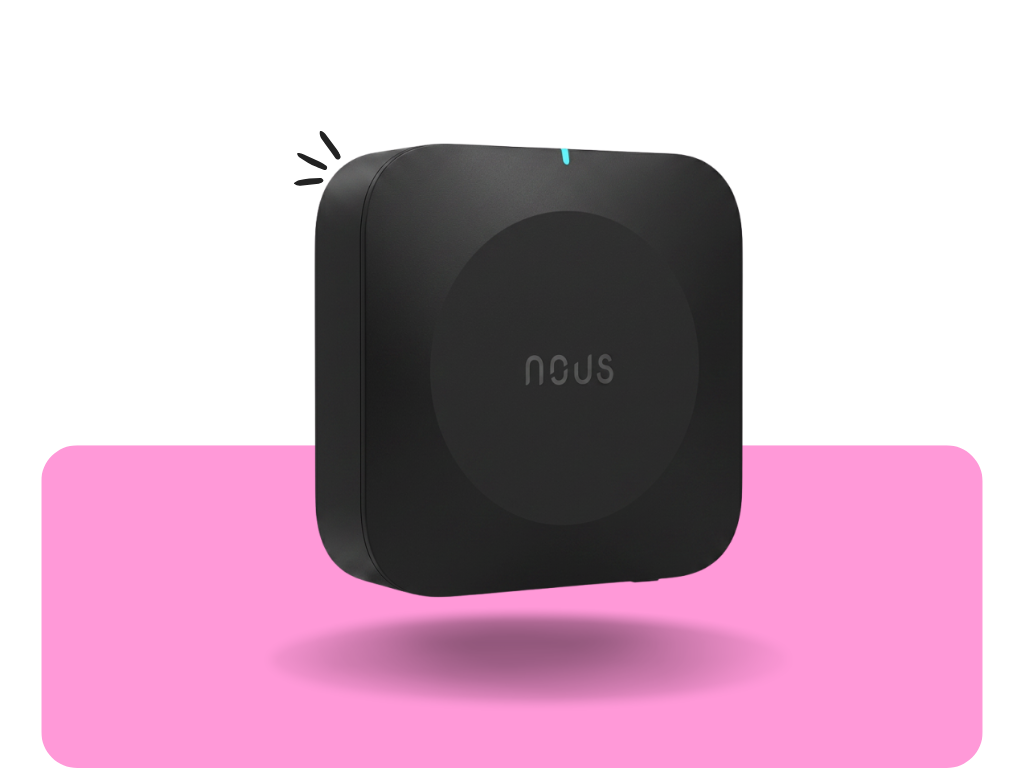 NOUS E15Tuya Zigbee gateway with 2.4 and 5 GHz Wi-Fi.€24.80
How to choose in 5 questions
- Does the boiler have room thermostat terminals? Check the manual or the boiler label. If yes, any of these thermostats will work. If not, radiator valves remain.
- Is there a cable from the boiler to the thermostat? Yes, and the thermostat is in a good spot → a wall-box thermostat (eWeLink or MOES). No, or it is in the hallway → NOUS H6.
- Do you already have a gateway or hub? Tuya gateway → MOES. Z-Wave hub → HeatIT Z-Temp3 + Shelly Wave relay. Home Assistant → a relay and thermometer with a virtual thermostat. Nothing → a Wi-Fi thermostat or Shelly 1 Gen3 with BLU H&T.
- Do you want valves in the rooms later? Then a Zigbee gateway pays off right away. Both NOUS H6 and MOES show up in one Smart Life app with NOUS H1Z valves.
- Do people without a phone use the thermostat too? All of them have physical buttons and a readable display. The simplest are the MOES rotary knob and the large NOUS H6 display.
Replacing an old thermostat step by step
The work involves mains voltage and the boiler. We recommend having it wired by an electrician or a boiler service technician.
- Switch off the boiler and the circuit breaker. Use a voltage tester to make sure the terminals are dead.
- Take a photo of the old thermostat wiring and mark the wires going to the boiler's room thermostat terminals.
- Connect the wires from the boiler to the volt-free contact of the new thermostat or receiver (COM and NO on NOUS H6). Connect 230 V power (L, N) according to the manual.
- Place the thermostat at about 1.5 m on an inside wall, away from sun, radiators and draughts.
- Switch the breaker on, pair the thermostat with the app (for Zigbee, the gateway first) and set the weekly schedule.
- Test it: raise the temperature above the current one and check that the boiler starts. Then lower it and the boiler should stop heating.
Tip: You'll find the room thermostat input in the boiler manual, in the terminal block diagram. It is usually labelled room thermostat, RT, TA or ON/OFF and often has a factory jumper on it. If you can't see such an input, the boiler is probably controlled only via a bus and the thermostats in this article can't be connected to it.
Ready-made kits with prices
A wireless boiler thermostat and two valves for the bedrooms, all in the Smart Life app.
- NOUS H6 Wi-Fi kit€69.99
- NOUS E15 Zigbee gateway€24.80
- 2× NOUS H1Z€53.98
Wall-box thermostat, gateway and a window sensor that turns heating off in a scene while you air the room.
- MOES ZHUB-W Zigbee gateway€17.89
- MOES ZHT-SR-GC€52.90
- NOUS door and window sensor€11.80
A virtual thermostat in the Shelly app: relay at the boiler and thermometer in the living room, no extra gateway.
- Shelly 1 Gen3€13.69
- Shelly BLU H&T€18.99
Thermostat in the living room and valves in three more rooms on one gateway.
- NOUS E15 Zigbee gateway€24.80
- MOES ZHT-SR-GC€52.90
- 3× NOUS H1Z€80.97
If you only want a thermostat with no other devices, NOUS H6 or the eWeLink WiFi thermostat is enough. You'll find more models in the Thermostats category and valves in Radiator valves.
Troubleshooting
- The boiler doesn't respond to the thermostat. Check that the wires are on the room thermostat terminals and on the NO contact (not NC). Some boilers have a jumper on these terminals that must be removed. See the boiler manual.
- The boiler heats all the time. The wires are probably on NC, or a jumper is still in place alongside the thermostat.
- The boiler starts and stops too often. Increase the hysteresis (NOUS H6 0.5 to 3 °C; the eWeLink thermostat's hysteresis is adjustable too).
- The thermostat shows a different temperature than a thermometer. Check the location (sun, radiator, draught) and use calibration. NOUS H6 offers an offset of −4 to +4 °C.
- NOUS H6 won't pair. The receiver supports 2.4 GHz Wi-Fi only. During pairing the phone must be on the 2.4 GHz network.
- MOES won't pair. The gateway must be online and adding sub-devices enabled in the app. Pair close to the gateway. If that fails, factory reset the thermostat.
- The room with the thermostat is cold, other rooms are warm. A smart valve in the reference room closes the valve too early. Remove it or set it higher.
Frequently asked questions
Which smart thermostat for a gas boiler should I choose if I have no gateway?
A Wi-Fi thermostat. NOUS H6 if there is no cable to the thermostat or you want it in another room. The eWeLink WiFi thermostat if you want a wall-box thermostat in place of the old wired one.
Will a smart thermostat work with my boiler?
Yes, if the boiler has room thermostat terminals (volt-free ON/OFF contact). Most gas boilers have this input. The thermostats in this article don't support OpenTherm or eBus.
Does the MOES Zigbee thermostat need a gateway?
Yes, to control it from your phone it needs a Tuya-compatible Zigbee gateway such as NOUS E15 or MOES ZHUB-W. Without a gateway it only works as a programmable wall thermostat.
What do I need for HeatIT Z-Temp3?
A Z-Wave hub (for example Yubii Home or Homey Pro mini) and a Z-Wave relay with a volt-free contact at the boiler, for example Shelly Wave 1 or Shelly Wave Pro 1. The thermostat doesn't switch the boiler itself.
Can a boiler be controlled with just a relay and a thermometer?
Yes. Wire a smart relay with a volt-free contact, for example Shelly 1 Gen3, to the room thermostat terminals and measure the temperature with a room thermometer (Shelly BLU H&T). You create the thermostat with scenes in the Shelly app or with the Generic Thermostat integration in Home Assistant. With Z-Wave, Heatit Z-Temp3 with Shelly Wave 1 works the same way.
Are smart radiator valves enough without a thermostat?
In a flat with central heating, yes. If you have your own boiler, the valves don't switch it on or off. A boiler without a thermostat heats according to its own settings. A thermostat in one room and valves in the others works best.
Can I have the thermostat and valves in one app?
Yes. Both MOES ZHT-SR-GC and NOUS H1Z valves pair with a Tuya gateway (NOUS E15, MOES ZHUB-W) and are controlled in Smart Life. According to the manufacturer, NOUS H6 also works in the Tuya ecosystem.
Does the thermostat work during an internet outage?
Yes, it keeps regulating according to the stored schedule. You just can't control it from your phone until the internet is back. NOUS H6 talks to its receiver directly over 868 MHz radio.
Does NOUS H6 work with 5 GHz Wi-Fi?
No, the receiver supports 2.4 GHz Wi-Fi only. Most routers broadcast both bands at once, so just connect your phone to the 2.4 GHz network during pairing.
Can the thermostat be voice controlled?
NOUS H6, the eWeLink WiFi thermostat and MOES support Amazon Alexa and Google Assistant. HeatIT Z-Temp3 is controlled via the hub you use.
Where should the thermostat go?
On an inside wall in a lived-in room, at about 1.5 m. Not next to a radiator, in the sun, near a fireplace or in a draught.
Can I wire the thermostat myself?
Wall-box thermostats and the NOUS H6 receiver connect to 230 V and to the boiler. We recommend having it wired by an electrician or a boiler service technician.
Choose a thermostat for your boiler
Check the boiler terminals, decide between Wi-Fi, Zigbee, Z-Wave or a relay with a thermometer, and add valves to the rooms where you want a different temperature.
See thermostats